
The Smart Device Compare comparison
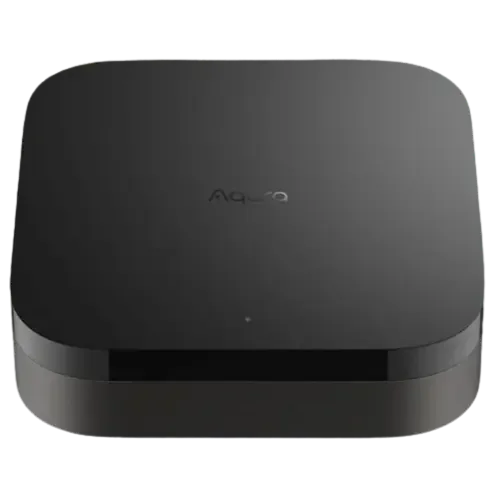
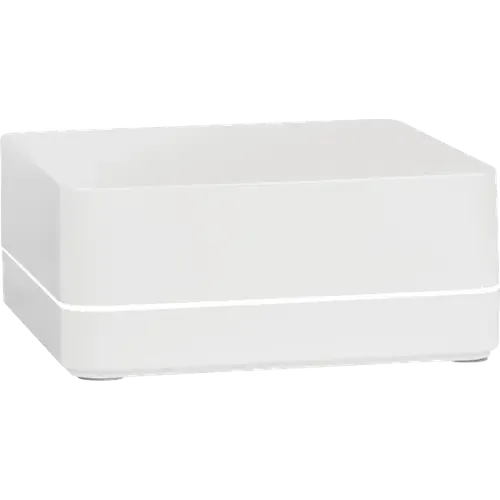
Aqara Hub M3 vs Lutron Caseta Smart Hub
Understand the differences. Decide what matters to your home.
Build another comparison →Before you compare every specification
Key differences between Aqara Hub M3 and Lutron Caseta Smart Hub
A summary of selected recorded differences between these hubs. Check the full specification table below for details and conditions.
Feature differences among your selected devices
- 2.4 GHz Wi-Fi (connectivity): Aqara Hub M3 — Yes; Lutron Caseta Smart Hub — No (The smart hub has no Wi-Fi radio: it connects to a LAN port on the router with the included Ethernet cable.).
- 5 GHz Wi-Fi (connectivity): Aqara Hub M3 — Yes; Lutron Caseta Smart Hub — No.
- Power Over Ethernet (hardware): Aqara Hub M3 — Yes; Lutron Caseta Smart Hub — No.
- Bluetooth (protocols): Aqara Hub M3 — Yes; Lutron Caseta Smart Hub — No.
Specifications to check side by side
- Subdevices (features): Aqara Hub M3 — 127; Lutron Caseta Smart Hub — 75 (Supports up to 75 wireless devices (Caseta dimmers, plug-in dimmers and switches, Pico remotes, wireless shades); the hub itself counts as one of them.).
- Speakers (hardware): Aqara Hub M3 — 95dB; Lutron Caseta Smart Hub — No.
- Third Party Devices (protocols): Aqara Hub M3 — Partially (Matter controller that adds third-party Matter devices to Aqara Home, but for Zigbee it supports only Aqara devices, not third-party Zigbee ones.); Lutron Caseta Smart Hub — No (Pairs only Lutron Clear Connect devices (Caseta dimmers and switches, Pico remotes, Serena shades); other brands connect through cloud or app integrations, never to its radio.).
Information still to confirm
- 9 of 37 comparison fields lack a resolved value for at least one selected device. Missing information is not evidence that a feature is absent.
- Check the full table and manufacturer documentation before ruling out a device.
These observations are derived from recorded catalog data and have not all been independently verified. Confirm details with the manufacturer before purchasing.
Compare capabilities, compatibility and setup requirements.
What the catalog tells us
Understand the tradeoffs.
These counts describe the available data, not a quality score. More features do not automatically make a better device.
11differences with recorded values for every device
9rows with missing or unspecified information
Your priorities, side by side
Focus on what changes.
Mark the specifications you care about. Open manufacturer sources for verification scope; fields without citations remain catalog data. Expand notes for other qualifications.
Showing 37 of 37 rows. “Not recorded” does not mean “No”.
Connectivity
- Aqara Hub M3
- Yes
- Lutron Caseta Smart Hub
- No
Catalog note
The smart hub has no Wi-Fi radio: it connects to a LAN port on the router with the included Ethernet cable.
- Aqara Hub M3
- Yes
- Lutron Caseta Smart Hub
- No
- Aqara Hub M3
- Yes
- Lutron Caseta Smart Hub
- Yes
Catalog note
Ethernet: 3 ft (0.92 m) cable included (for internet and Lutron App connection).
- Aqara Hub M3
- Yes
Catalog note
Additional catalog field from the ir-remote-controls listing of this model.
- Lutron Caseta Smart Hub
- Not recorded
- Aqara Hub M3
- No
Catalog note
Additional catalog field from the ir-remote-controls listing of this model.
- Lutron Caseta Smart Hub
- Not recorded
Features
- Aqara Hub M3
- No
- Lutron Caseta Smart Hub
- No
- Aqara Hub M3
- No
- Lutron Caseta Smart Hub
- No
- Aqara Hub M3
- No
- Lutron Caseta Smart Hub
- No
- Aqara Hub M3
- Yes
Catalog note
Additional catalog field from the ir-remote-controls listing of this model.
- Lutron Caseta Smart Hub
- Not recorded
- Aqara Hub M3
- 127
- Lutron Caseta Smart Hub
- 75
Catalog note
Supports up to 75 wireless devices (Caseta dimmers, plug-in dimmers and switches, Pico remotes, wireless shades); the hub itself counts as one of them.
- Aqara Hub M3
- No
- Lutron Caseta Smart Hub
- No
- Aqara Hub M3
- Yes
Catalog note
Additional catalog field from the ir-remote-controls listing of this model.
- Lutron Caseta Smart Hub
- Not recorded
Hardware
- Aqara Hub M3
- Not recorded
- Lutron Caseta Smart Hub
- Not recorded
- Aqara Hub M3
- Not recorded
- Lutron Caseta Smart Hub
- Not recorded
- Aqara Hub M3
- No
- Lutron Caseta Smart Hub
- No
- Aqara Hub M3
- No
- Lutron Caseta Smart Hub
- No
- Aqara Hub M3
- Yes
- Lutron Caseta Smart Hub
- No
- Aqara Hub M3
- 95dB
- Lutron Caseta Smart Hub
- No
- Aqara Hub M3
- 8GB eMMC
- Lutron Caseta Smart Hub
- Not recorded
Integrations
- Aqara Hub M3
- Yes
- Lutron Caseta Smart Hub
- Yes
- Aqara Hub M3
- Yes
- Lutron Caseta Smart Hub
- Yes
Catalog note
The smart hub contains Apple Home technology, so Siri can control the lights and shades it hosts.
- Aqara Hub M3
- Yes
- Lutron Caseta Smart Hub
- Yes
- Aqara Hub M3
- Yes
- Lutron Caseta Smart Hub
- Yes
Catalog note
The official Home Assistant Lutron Caseta integration lists this exact hub (L-BDG2-WH) among its supported hardware.
- Aqara Hub M3
- No
Catalog note
Additional catalog field from the ir-remote-controls listing of this model.
- Lutron Caseta Smart Hub
- Not recorded
- Aqara Hub M3
- Yes
- Lutron Caseta Smart Hub
- Yes
Catalog note
Lutron lists Samsung SmartThings as a Caseta partner: lights and shades are controlled from the SmartThings app.
Protocols
- Aqara Hub M3
- Yes
- Lutron Caseta Smart Hub
- No
- Aqara Hub M3
- Yes
- Lutron Caseta Smart Hub
- No
- Aqara Hub M3
- Yes
- Lutron Caseta Smart Hub
- No
- Aqara Hub M3
- No
Catalog note
Additional catalog field from the ir-remote-controls listing of this model.
- Lutron Caseta Smart Hub
- Not recorded
- Aqara Hub M3
- Partially
Catalog note
Matter controller that adds third-party Matter devices to Aqara Home, but for Zigbee it supports only Aqara devices, not third-party Zigbee ones.
- Lutron Caseta Smart Hub
- No
Catalog note
Pairs only Lutron Clear Connect devices (Caseta dimmers and switches, Pico remotes, Serena shades); other brands connect through cloud or app integrations, never to its radio.
- Aqara Hub M3
- Yes
- Lutron Caseta Smart Hub
- No
- Aqara Hub M3
- No
- Lutron Caseta Smart Hub
- No
- Aqara Hub M3
- Yes
- Lutron Caseta Smart Hub
- No
Sensors
- Aqara Hub M3
- No
- Lutron Caseta Smart Hub
- No
- Aqara Hub M3
- No
- Lutron Caseta Smart Hub
- No
- Aqara Hub M3
- No
- Lutron Caseta Smart Hub
- No
- Aqara Hub M3
- No
- Lutron Caseta Smart Hub
- No
| Specification | Aqara Hub M3 | Lutron Caseta Smart Hub |
|---|---|---|
| Connectivity | ||
| Yes | NoCatalog noteThe smart hub has no Wi-Fi radio: it connects to a LAN port on the router with the included Ethernet cable. | |
| Yes | No | |
| Yes | YesCatalog noteEthernet: 3 ft (0.92 m) cable included (for internet and Lutron App connection). | |
YesCatalog noteAdditional catalog field from the ir-remote-controls listing of this model. | Not recorded | |
NoCatalog noteAdditional catalog field from the ir-remote-controls listing of this model. | Not recorded | |
| Features | ||
| No | No | |
| No | No | |
| No | No | |
YesCatalog noteAdditional catalog field from the ir-remote-controls listing of this model. | Not recorded | |
| 127 | 75Catalog noteSupports up to 75 wireless devices (Caseta dimmers, plug-in dimmers and switches, Pico remotes, wireless shades); the hub itself counts as one of them. | |
| No | No | |
YesCatalog noteAdditional catalog field from the ir-remote-controls listing of this model. | Not recorded | |
| Hardware | ||
| Not recorded | Not recorded | |
| Not recorded | Not recorded | |
| No | No | |
| No | No | |
| Yes | No | |
| 95dB | No | |
| 8GB eMMC | Not recorded | |
| Integrations | ||
| Yes | Yes | |
| Yes | YesCatalog noteThe smart hub contains Apple Home technology, so Siri can control the lights and shades it hosts. | |
| Yes | Yes | |
| Yes | YesCatalog noteThe official Home Assistant Lutron Caseta integration lists this exact hub (L-BDG2-WH) among its supported hardware. | |
NoCatalog noteAdditional catalog field from the ir-remote-controls listing of this model. | Not recorded | |
| Yes | YesCatalog noteLutron lists Samsung SmartThings as a Caseta partner: lights and shades are controlled from the SmartThings app. | |
| Protocols | ||
| Yes | No | |
| Yes | No | |
| Yes | No | |
NoCatalog noteAdditional catalog field from the ir-remote-controls listing of this model. | Not recorded | |
PartiallyCatalog noteMatter controller that adds third-party Matter devices to Aqara Home, but for Zigbee it supports only Aqara devices, not third-party Zigbee ones. | NoCatalog notePairs only Lutron Clear Connect devices (Caseta dimmers and switches, Pico remotes, Serena shades); other brands connect through cloud or app integrations, never to its radio. | |
| Yes | No | |
| No | No | |
| Yes | No | |
| Sensors | ||
| No | No | |
| No | No | |
| No | No | |
| No | No | |
Know what’s behind the comparison.
The table matches specifications by section and field. It preserves notes, separates missing data from explicit “No” values, and keeps qualifications attached to their values. No overall winner is assigned from feature counts.
Read our comparison methodology