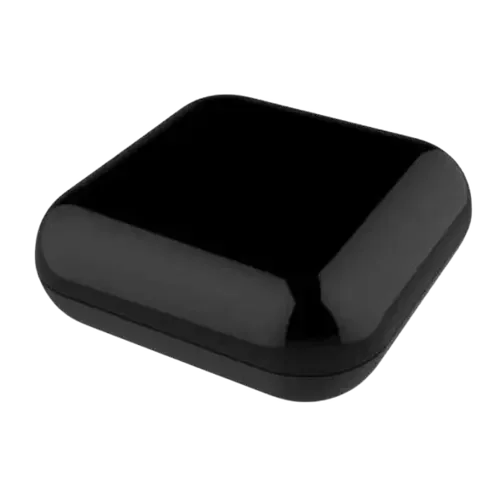
Option 1 · Moes
Moes RF IR Universal Remote Controller
Catalog update date not recorded
View full device profile
The Smart Device Compare comparison
Understand the differences. Decide what matters to your home.
Build another comparison →Before you compare every specification
A summary of selected recorded differences between these ir remote controls. Check the full specification table below for details and conditions.
These observations are derived from recorded catalog data and have not all been independently verified. Confirm details with the manufacturer before purchasing.
Compare capabilities, compatibility and setup requirements.
Option 1 · Moes
Catalog update date not recorded
View full device profile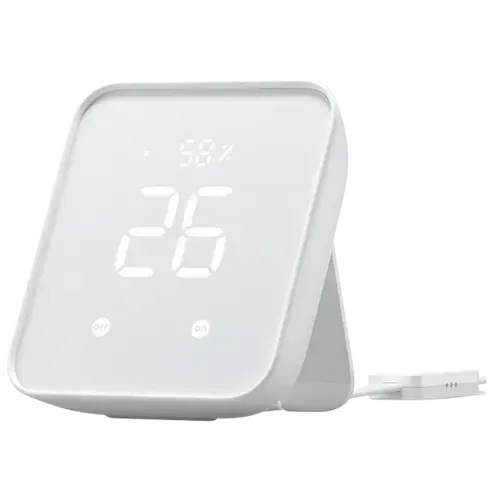
What the catalog tells us
These counts describe the available data, not a quality score. More features do not automatically make a better device.
Consider your setup
Confirm which features appear in Apple Home and whether extra hardware or a subscription is needed for your intended use.
Inspect the specificationsConsider your setup
Confirm the exact device type and the features exposed in your chosen platform. Protocol support does not establish feature parity across apps.
Inspect the specificationsYour priorities, side by side
Mark the specifications you care about. Open manufacturer sources for verification scope; fields without citations remain catalog data. Expand notes for other qualifications.
Showing 37 of 37 rows. “Not recorded” does not mean “No”.
Additional catalog field from the ir-remote-controls listing of this model.
Additional catalog field from the ir-remote-controls listing of this model.
Additional catalog field from the ir-remote-controls listing of this model.
Additional catalog field from the ir-remote-controls listing of this model.
Additional catalog field from the ir-remote-controls listing of this model.
With Smart learning mode, it can mimic your existing remote control in 5s.
Additional catalog field from the ir-remote-controls listing of this model.
Pairs only SwitchBot Bluetooth devices and bridges up to 8 of them to Matter; it has no Zigbee or Z-Wave radio and cannot add other brands' devices.
| Specification | Moes RF IR Universal Remote Controller | SwitchBot Hub 2 |
|---|---|---|
| Connectivity | ||
| Yes | Yes | |
| No | No | |
| No | No | |
| No | NoCatalog noteAdditional catalog field from the ir-remote-controls listing of this model. | |
| No | NoCatalog noteAdditional catalog field from the ir-remote-controls listing of this model. | |
| Features | ||
| Not recorded | No | |
| Not recorded | No | |
| Not recorded | No | |
| Yes | YesCatalog noteAdditional catalog field from the ir-remote-controls listing of this model. | |
| Not recorded | 8 | |
| Not recorded | No | |
| Yes | YesCatalog noteAdditional catalog field from the ir-remote-controls listing of this model. | |
| Hardware | ||
| Not recorded | Not recorded | |
| Not recorded | Not recorded | |
| Not recorded | No | |
| Not recorded | No | |
| Not recorded | No | |
| Not recorded | No | |
| Not recorded | Not recorded | |
| Integrations | ||
| Yes | Yes | |
| No | Yes | |
| Yes | Yes | |
| Yes | Yes | |
| No | YesCatalog noteAdditional catalog field from the ir-remote-controls listing of this model. | |
| No | Yes | |
| Protocols | ||
| No | Yes | |
| Yes | YesCatalog noteWith Smart learning mode, it can mimic your existing remote control in 5s. | |
| No | Yes | |
| Yes | NoCatalog noteAdditional catalog field from the ir-remote-controls listing of this model. | |
| Not recorded | NoCatalog notePairs only SwitchBot Bluetooth devices and bridges up to 8 of them to Matter; it has no Zigbee or Z-Wave radio and cannot add other brands' devices. | |
| No | No | |
| No | No | |
| No | No | |
| Sensors | ||
| No | Yes | |
| No | Yes | |
| No | No | |
| No | Yes | |
The table matches specifications by section and field. It preserves notes, separates missing data from explicit “No” values, and keeps qualifications attached to their values. No overall winner is assigned from feature counts.
Read our comparison methodology