
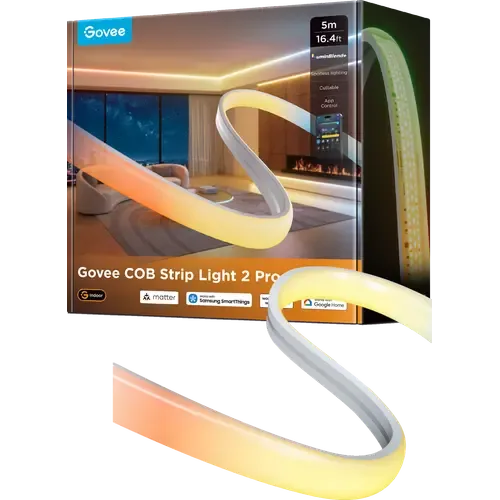
The Smart Device Compare comparison
Govee COB Strip Light 2 Pro vs SwitchBot RGBICWW Light Bars
Understand the differences. Decide what matters to your home.
Build another comparison →Before you compare every specification
Key differences between Govee COB Strip Light 2 Pro and SwitchBot RGBICWW Light Bars
A summary of selected recorded differences between these light strips. Check the full specification table below for details and conditions.
Feature differences among your selected devices
- Screen Sync (features): Govee COB Strip Light 2 Pro — Yes (DreamView links the strip with other Govee devices in Movie, Gaming and Music modes, which is how a TV backlight passes screen colour onto the strip.); SwitchBot RGBICWW Light Bars — No (There is no camera or HDMI box, so the bars do not follow what is on the screen.).
- Cuttable (installation): Govee COB Strip Light 2 Pro — Yes (High-tack acrylic adhesive and precise 6.5cm cut marks, so the run can be trimmed to any surface or corner.); SwitchBot RGBICWW Light Bars — No (The light bars are rigid units sold as a fixed pair; SwitchBot publishes no cut points and no way to shorten them.).
Specifications to check side by side
- Color Temperature (light): Govee COB Strip Light 2 Pro — 1000-10000K; SwitchBot RGBICWW Light Bars — 2200K-6500K.
- Power Consumption (power): Govee COB Strip Light 2 Pro — 48W; SwitchBot RGBICWW Light Bars — 24W.
- Voltage (power): Govee COB Strip Light 2 Pro — 24V; SwitchBot RGBICWW Light Bars — 12V.
Information still to confirm
- 7 of 32 comparison fields lack a resolved value for at least one selected device. Missing information is not evidence that a feature is absent.
- Check the full table and manufacturer documentation before ruling out a device.
These observations are derived from recorded catalog data and have not all been independently verified. Confirm details with the manufacturer before purchasing.
Compare capabilities, compatibility and setup requirements.
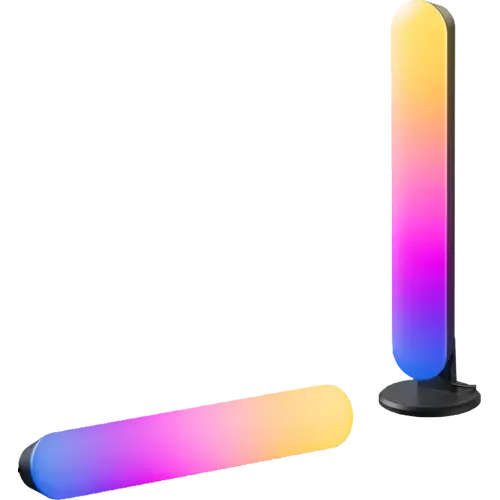
What the catalog tells us
Understand the tradeoffs.
These counts describe the available data, not a quality score. More features do not automatically make a better device.
5differences with recorded values for every device
7rows with missing or unspecified information
Your priorities, side by side
Focus on what changes.
Mark the specifications you care about. Open manufacturer sources for verification scope; fields without citations remain catalog data. Expand notes for other qualifications.
Showing 32 of 32 rows. “Not recorded” does not mean “No”.
Connectivity
- Govee COB Strip Light 2 Pro
- Yes
Catalog note
Govee's own comparison table on the listing gives the connection as 2.4GHz Wi-Fi plus BLE.
- SwitchBot RGBICWW Light Bars
- Yes
Catalog note
Native Matter over Wi-Fi with no SwitchBot hub required.
- Govee COB Strip Light 2 Pro
- No
Catalog note
The stated connection is 2.4GHz Wi-Fi only, and the Matter certificate lists Wi-Fi and Bluetooth as the transport interfaces with no 5GHz band.
- SwitchBot RGBICWW Light Bars
- No
- Govee COB Strip Light 2 Pro
- Yes
- SwitchBot RGBICWW Light Bars
- Not recorded
- Govee COB Strip Light 2 Pro
- Not applicable / unspecified
- SwitchBot RGBICWW Light Bars
- Not applicable / unspecified
- Govee COB Strip Light 2 Pro
- No
Catalog note
The CSA certificate for H1AA5 lists Wi-Fi and Bluetooth as the transport interfaces, with no Thread radio.
- SwitchBot RGBICWW Light Bars
- No
- Govee COB Strip Light 2 Pro
- No
- SwitchBot RGBICWW Light Bars
- No
Features
- Govee COB Strip Light 2 Pro
- Yes
Catalog note
DaySync adapts the light to the time of day, the location and the weather, alongside schedules in the Govee Home app.
- SwitchBot RGBICWW Light Bars
- Yes
Catalog note
Schedules and routines in the SwitchBot app, and automations through the Matter platforms.
- Govee COB Strip Light 2 Pro
- Yes
Catalog note
64 preset scene modes, plus the AI Lighting Bot 2.0, which turns a spoken or written prompt into an effect and refines it through conversation.
- SwitchBot RGBICWW Light Bars
- Yes
Catalog note
26 preset scenes and effects, plus custom DIY effects built in the SwitchBot app.
- Govee COB Strip Light 2 Pro
- Yes
Catalog note
A built-in microphone feeds 16 music modes in the Govee Home app.
- SwitchBot RGBICWW Light Bars
- Yes
Manufacturer source
An integrated microphone drives music-reactive lighting.
SwitchBot RGBICWW Light Bars manufacturer product page →- Source section
- Product description
- Model
- SwitchBot RGBICWW Light Bars
- Region
- US manufacturer page
- Firmware
- Not specified by this source
- Checked
Document check only; not a hands-on test or verification of every regional or firmware variant.
Catalog note
A microphone built into the bars drives six music-reactive effects, with no separate sensor.
- Govee COB Strip Light 2 Pro
- Not recorded
- SwitchBot RGBICWW Light Bars
- Not recorded
- Govee COB Strip Light 2 Pro
- No
Catalog note
Govee gives the control methods as app, the inline control box and voice; no handheld remote is included or sold for it.
- SwitchBot RGBICWW Light Bars
- No
Catalog note
No wireless remote in the box. There is an inline wired controller on the cable for power, brightness and colour.
- Govee COB Strip Light 2 Pro
- Yes
Catalog note
DreamView links the strip with other Govee devices in Movie, Gaming and Music modes, which is how a TV backlight passes screen colour onto the strip.
- SwitchBot RGBICWW Light Bars
- No
Catalog note
There is no camera or HDMI box, so the bars do not follow what is on the screen.
Installation
- Govee COB Strip Light 2 Pro
- Yes
Catalog note
Custom high-tack acrylic adhesive tape for a peel-and-stick install, with two cable clips in the box for anywhere the tape needs help.
- SwitchBot RGBICWW Light Bars
- Yes
Catalog note
Ships with adhesive backing plus monitor mount brackets and desk mount brackets in addition to the built-in magnets.
- Govee COB Strip Light 2 Pro
- 6.5 cm
- SwitchBot RGBICWW Light Bars
- Not applicable / unspecified
Catalog note
The bars are rigid units and are not cut to length.
- Govee COB Strip Light 2 Pro
- Yes
Catalog note
High-tack acrylic adhesive and precise 6.5cm cut marks, so the run can be trimmed to any surface or corner.
- SwitchBot RGBICWW Light Bars
- No
Catalog note
The light bars are rigid units sold as a fixed pair; SwitchBot publishes no cut points and no way to shorten them.
- Govee COB Strip Light 2 Pro
- No
Catalog note
Govee states that once cut, the strip cannot be reconnected or extended, and no extension reel or connector is offered for the H1AA series.
- SwitchBot RGBICWW Light Bars
- No
Catalog note
SwitchBot sells the model only as a two-bar set and offers no extension accessory.
- Govee COB Strip Light 2 Pro
- 5 m
- SwitchBot RGBICWW Light Bars
- Not applicable / unspecified
Catalog note
Sold as a fixed pair; there is no extension to set a maximum run.
Integrations
- Govee COB Strip Light 2 Pro
- Yes
- SwitchBot RGBICWW Light Bars
- Yes
Catalog note
Native Matter support, claimed by SwitchBot and advertised on the listing.
- Govee COB Strip Light 2 Pro
- Yes
Catalog note
Via Matter
- SwitchBot RGBICWW Light Bars
- Yes
Catalog note
Via Matter; a HomePod or Apple TV acts as the Matter controller.
- Govee COB Strip Light 2 Pro
- Yes
Catalog note
Govee lists Google Assistant among the supported ecosystems, and the Amazon comparison table marks the strip as Google and Alexa compatible.
- SwitchBot RGBICWW Light Bars
- Yes
Catalog note
SwitchBot lists Google Home among the platforms it reaches over Matter.
- Govee COB Strip Light 2 Pro
- Yes
Catalog note
Via Matter
- SwitchBot RGBICWW Light Bars
- Yes
Catalog note
Via Matter; Home Assistant is a certified Matter controller.
- Govee COB Strip Light 2 Pro
- Yes
Catalog note
Matter certified as H1AA5 (certificate CSA260HHMAT50037-24), Matter 1.3 over Wi-Fi, and Govee prints the Matter badge on the box and on the product page. The 2m variant is certified separately as H1AA2.
- SwitchBot RGBICWW Light Bars
- Yes
Catalog note
Matter over Wi-Fi, native, with no SwitchBot hub required. A Matter controller such as an Apple TV, HomePod or Google Nest speaker is needed to reach it from those platforms.
- Govee COB Strip Light 2 Pro
- Yes
Catalog note
Govee names SmartThings directly among the supported ecosystems, and the Matter certification covers it as well.
- SwitchBot RGBICWW Light Bars
- Yes
Catalog note
Via Matter
Light
- Govee COB Strip Light 2 Pro
- Not recorded
- SwitchBot RGBICWW Light Bars
- 12
Catalog note
12 IC chips drive six RGBIC zones on each of the two bars.
- Govee COB Strip Light 2 Pro
- Yes
- SwitchBot RGBICWW Light Bars
- Yes
Catalog note
Stepless dimming from 1 to 100 percent.
- Govee COB Strip Light 2 Pro
- Yes
Catalog note
RGBWWIC lamp beads driven by Govee's 16-bit LuminBlend+ colour engine, so separate stretches of the same run can hold separate colours at once.
- SwitchBot RGBICWW Light Bars
- Yes
Manufacturer source
The two bars provide RGB color effects.
SwitchBot RGBICWW Light Bars manufacturer product page →- Source section
- Product description
- Model
- SwitchBot RGBICWW Light Bars
- Region
- US manufacturer page
- Firmware
- Not specified by this source
- Checked
Document check only; not a hands-on test or verification of every regional or firmware variant.
Catalog note
RGBIC with 16 million colours and 26 effects, so the two bars hold several colours at once.
- Govee COB Strip Light 2 Pro
- 1000-10000K
- SwitchBot RGBICWW Light Bars
- 2200K-6500K
- Govee COB Strip Light 2 Pro
- Yes
Catalog note
The bead type is RGBWWIC: Govee's listing describes dual white LEDs alongside the colour channels, which is what produces the 1000K to 10000K white without mixing it from red, green and blue.
- SwitchBot RGBICWW Light Bars
- Yes
Catalog note
RGBICWW light type: 19 warm white and 19 cool white LEDs per bar alongside the 18 RGB LEDs, so white is a real white channel, not a mix of colour diodes.
- Govee COB Strip Light 2 Pro
- Not recorded
- SwitchBot RGBICWW Light Bars
- 800
Catalog note
Up to 800 lumen across the pair, per the official spec sheet.
Power
- Govee COB Strip Light 2 Pro
- 48W
- SwitchBot RGBICWW Light Bars
- 24W
- Govee COB Strip Light 2 Pro
- No
Catalog note
Runs from the bundled 24V power adapter through its control box, not from USB.
- SwitchBot RGBICWW Light Bars
- No
Catalog note
Runs from the included 12 V / 2 A adapter, not USB.
- Govee COB Strip Light 2 Pro
- 24V
- SwitchBot RGBICWW Light Bars
- 12V
| Specification | Govee COB Strip Light 2 Pro | SwitchBot RGBICWW Light Bars |
|---|---|---|
| Connectivity | ||
YesCatalog noteGovee's own comparison table on the listing gives the connection as 2.4GHz Wi-Fi plus BLE. | YesCatalog noteNative Matter over Wi-Fi with no SwitchBot hub required. | |
NoCatalog noteThe stated connection is 2.4GHz Wi-Fi only, and the Matter certificate lists Wi-Fi and Bluetooth as the transport interfaces with no 5GHz band. | No | |
| Yes | Not recorded | |
| Not applicable / unspecified | Not applicable / unspecified | |
NoCatalog noteThe CSA certificate for H1AA5 lists Wi-Fi and Bluetooth as the transport interfaces, with no Thread radio. | No | |
| No | No | |
| Features | ||
YesCatalog noteDaySync adapts the light to the time of day, the location and the weather, alongside schedules in the Govee Home app. | YesCatalog noteSchedules and routines in the SwitchBot app, and automations through the Matter platforms. | |
YesCatalog note64 preset scene modes, plus the AI Lighting Bot 2.0, which turns a spoken or written prompt into an effect and refines it through conversation. | YesCatalog note26 preset scenes and effects, plus custom DIY effects built in the SwitchBot app. | |
YesCatalog noteA built-in microphone feeds 16 music modes in the Govee Home app. | YesManufacturer sourceAn integrated microphone drives music-reactive lighting. SwitchBot RGBICWW Light Bars manufacturer product page →
Document check only; not a hands-on test or verification of every regional or firmware variant. Catalog noteA microphone built into the bars drives six music-reactive effects, with no separate sensor. | |
| Not recorded | Not recorded | |
NoCatalog noteGovee gives the control methods as app, the inline control box and voice; no handheld remote is included or sold for it. | NoCatalog noteNo wireless remote in the box. There is an inline wired controller on the cable for power, brightness and colour. | |
YesCatalog noteDreamView links the strip with other Govee devices in Movie, Gaming and Music modes, which is how a TV backlight passes screen colour onto the strip. | NoCatalog noteThere is no camera or HDMI box, so the bars do not follow what is on the screen. | |
| Installation | ||
YesCatalog noteCustom high-tack acrylic adhesive tape for a peel-and-stick install, with two cable clips in the box for anywhere the tape needs help. | YesCatalog noteShips with adhesive backing plus monitor mount brackets and desk mount brackets in addition to the built-in magnets. | |
| 6.5 cm | Not applicable / unspecifiedCatalog noteThe bars are rigid units and are not cut to length. | |
YesCatalog noteHigh-tack acrylic adhesive and precise 6.5cm cut marks, so the run can be trimmed to any surface or corner. | NoCatalog noteThe light bars are rigid units sold as a fixed pair; SwitchBot publishes no cut points and no way to shorten them. | |
NoCatalog noteGovee states that once cut, the strip cannot be reconnected or extended, and no extension reel or connector is offered for the H1AA series. | NoCatalog noteSwitchBot sells the model only as a two-bar set and offers no extension accessory. | |
| 5 m | Not applicable / unspecifiedCatalog noteSold as a fixed pair; there is no extension to set a maximum run. | |
| Integrations | ||
| Yes | YesCatalog noteNative Matter support, claimed by SwitchBot and advertised on the listing. | |
YesCatalog noteVia Matter | YesCatalog noteVia Matter; a HomePod or Apple TV acts as the Matter controller. | |
YesCatalog noteGovee lists Google Assistant among the supported ecosystems, and the Amazon comparison table marks the strip as Google and Alexa compatible. | YesCatalog noteSwitchBot lists Google Home among the platforms it reaches over Matter. | |
YesCatalog noteVia Matter | YesCatalog noteVia Matter; Home Assistant is a certified Matter controller. | |
YesCatalog noteMatter certified as H1AA5 (certificate CSA260HHMAT50037-24), Matter 1.3 over Wi-Fi, and Govee prints the Matter badge on the box and on the product page. The 2m variant is certified separately as H1AA2. | YesCatalog noteMatter over Wi-Fi, native, with no SwitchBot hub required. A Matter controller such as an Apple TV, HomePod or Google Nest speaker is needed to reach it from those platforms. | |
YesCatalog noteGovee names SmartThings directly among the supported ecosystems, and the Matter certification covers it as well. | YesCatalog noteVia Matter | |
| Light | ||
| Not recorded | 12Catalog note12 IC chips drive six RGBIC zones on each of the two bars. | |
| Yes | YesCatalog noteStepless dimming from 1 to 100 percent. | |
YesCatalog noteRGBWWIC lamp beads driven by Govee's 16-bit LuminBlend+ colour engine, so separate stretches of the same run can hold separate colours at once. | YesManufacturer sourceThe two bars provide RGB color effects. SwitchBot RGBICWW Light Bars manufacturer product page →
Document check only; not a hands-on test or verification of every regional or firmware variant. Catalog noteRGBIC with 16 million colours and 26 effects, so the two bars hold several colours at once. | |
| 1000-10000K | 2200K-6500K | |
YesCatalog noteThe bead type is RGBWWIC: Govee's listing describes dual white LEDs alongside the colour channels, which is what produces the 1000K to 10000K white without mixing it from red, green and blue. | YesCatalog noteRGBICWW light type: 19 warm white and 19 cool white LEDs per bar alongside the 18 RGB LEDs, so white is a real white channel, not a mix of colour diodes. | |
| Not recorded | 800Catalog noteUp to 800 lumen across the pair, per the official spec sheet. | |
| Power | ||
| 48W | 24W | |
NoCatalog noteRuns from the bundled 24V power adapter through its control box, not from USB. | NoCatalog noteRuns from the included 12 V / 2 A adapter, not USB. | |
| 24V | 12V | |
Know what’s behind the comparison.
The table matches specifications by section and field. It preserves notes, separates missing data from explicit “No” values, and keeps qualifications attached to their values. No overall winner is assigned from feature counts.
Read our comparison methodology