
The Smart Device Compare comparison
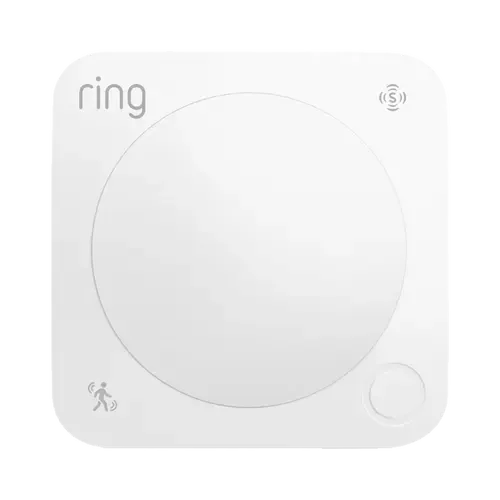
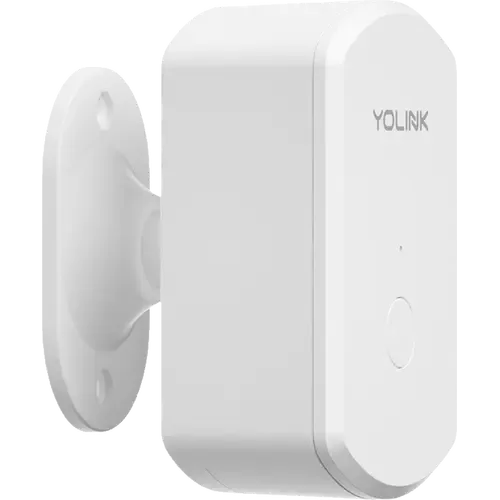
Ring Motion Detector (3rd Gen) vs YoLink Indoor Motion Sensor RT
Understand the differences. Decide what matters to your home.
Build another comparison →Before you compare every specification
Key differences between Ring Motion Detector (3rd Gen) and YoLink Indoor Motion Sensor RT
A summary of selected recorded differences between these motion sensors. Check the full specification table below for details and conditions.
Feature differences among your selected devices
- Temperature (sensors): Ring Motion Detector (3rd Gen) — No; YoLink Indoor Motion Sensor RT — Yes (The app's device details screen shows a temperature reading, described in the user guide as an auxiliary function that only refreshes when the sensor sends an alert or a heartbeat, or when the SET button is pressed.).
Specifications to check side by side
- Z Wave (connectivity): Ring Motion Detector (3rd Gen) — Z-Wave Hub required; YoLink Indoor Motion Sensor RT — No.
- Apple Home (integrations): Ring Motion Detector (3rd Gen) — No; YoLink Indoor Motion Sensor RT — YoLink Local Hub required (Via Matter. The YoLink Local Hub bridges YoLink devices to Matter, and its user guide names Apple Home as one of the platforms that pairs them by scanning the hub's Matter QR code.).
- Google Home (integrations): Ring Motion Detector (3rd Gen) — No; YoLink Indoor Motion Sensor RT — YoLink Local Hub required (Via Matter. The YoLink Local Hub user guide tells you to scan its Matter QR code from any Matter platform, naming Apple Home, Google Home and SmartThings. The cloud-only YoLink hubs have no Google Home path.).
- Matter (integrations): Ring Motion Detector (3rd Gen) — No; YoLink Indoor Motion Sensor RT — YoLink Local Hub required (The sensor speaks LoRa, not Matter. The YoLink Local Hub adds a Matter integration that republishes the YoLink devices on it, so a Matter fabric reaches the sensor through that hub.).
Information still to confirm
- 6 of 25 comparison fields lack a resolved value for at least one selected device. Missing information is not evidence that a feature is absent.
- Check the full table and manufacturer documentation before ruling out a device.
These observations are derived from recorded catalog data and have not all been independently verified. Confirm details with the manufacturer before purchasing.
Compare capabilities, compatibility and setup requirements.
What the catalog tells us
Understand the tradeoffs.
These counts describe the available data, not a quality score. More features do not automatically make a better device.
7differences with recorded values for every device
6rows with missing or unspecified information
Consider your setup
Apple Home
- Ring Motion Detector (3rd Gen)No
- YoLink Indoor Motion Sensor RTYoLink Local Hub required
Confirm which features appear in Apple Home and whether extra hardware or a subscription is needed for your intended use.
Inspect the specificationsConsider your setup
Matter
- Ring Motion Detector (3rd Gen)No
- YoLink Indoor Motion Sensor RTYoLink Local Hub required
Confirm the exact device type and the features exposed in your chosen platform. Protocol support does not establish feature parity across apps.
Inspect the specificationsYour priorities, side by side
Focus on what changes.
Mark the specifications you care about. Open manufacturer sources for verification scope; fields without citations remain catalog data. Expand notes for other qualifications.
Showing 25 of 25 rows. “Not recorded” does not mean “No”.
Alerts
- Ring Motion Detector (3rd Gen)
- Yes
Catalog note
The Ring app sends a low battery warning when the batteries need replacing
- YoLink Indoor Motion Sensor RT
- Not recorded
- Ring Motion Detector (3rd Gen)
- Yes
- YoLink Indoor Motion Sensor RT
- Yes
Catalog note
The Alarm Strategy screen sends app push, email and limited SMS notifications, and can trigger a YoLink siren or SpeakerHub.
Connectivity
- Ring Motion Detector (3rd Gen)
- No
- YoLink Indoor Motion Sensor RT
- No
- Ring Motion Detector (3rd Gen)
- No
- YoLink Indoor Motion Sensor RT
- No
- Ring Motion Detector (3rd Gen)
- No
- YoLink Indoor Motion Sensor RT
- No
- Ring Motion Detector (3rd Gen)
- No
- YoLink Indoor Motion Sensor RT
- No
- Ring Motion Detector (3rd Gen)
- Z-Wave Hub required
- YoLink Indoor Motion Sensor RT
- No
- Ring Motion Detector (3rd Gen)
- No
- YoLink Indoor Motion Sensor RT
- No
Features
- Ring Motion Detector (3rd Gen)
- 90°
- YoLink Indoor Motion Sensor RT
- Not recorded
- Ring Motion Detector (3rd Gen)
- Not recorded
- YoLink Indoor Motion Sensor RT
- Yes
Catalog note
Works as a condition in the app's Smart Automation rules, and pairs directly to another YoLink device with Control-D2D, which keeps running without internet.
- Ring Motion Detector (3rd Gen)
- Not recorded
- YoLink Indoor Motion Sensor RT
- Yes
Catalog note
Two separate timers in the app: 'time to enter no-motion state', after which the sensor reports no motion detected, and 'alert hold', which suppresses new alerts for a set period after the first detection.
- Ring Motion Detector (3rd Gen)
- Not recorded
- YoLink Indoor Motion Sensor RT
- Yes
Catalog note
The device screen links to the sensor's history logs.
- Ring Motion Detector (3rd Gen)
- Yes
Catalog note
Customizable sensitivity with pet-friendly settings that reduce false alerts from pets under 50 lbs
- YoLink Indoor Motion Sensor RT
- Yes
Catalog note
Sensitivity is adjustable in the app; the user guide notes higher sensitivity brings more false alarms and lower sensitivity shortens detection range.
- Ring Motion Detector (3rd Gen)
- 9.1 m
- YoLink Indoor Motion Sensor RT
- Not recorded
Integrations
- Ring Motion Detector (3rd Gen)
- Yes
- YoLink Indoor Motion Sensor RT
- Yes
Catalog note
The user guide states the Motion Sensor RT works with voice assistants such as Alexa, set up from the app under Settings, Third-Party Services.
- Ring Motion Detector (3rd Gen)
- No
- YoLink Indoor Motion Sensor RT
- YoLink Local Hub required
Catalog note
Via Matter. The YoLink Local Hub bridges YoLink devices to Matter, and its user guide names Apple Home as one of the platforms that pairs them by scanning the hub's Matter QR code.
- Ring Motion Detector (3rd Gen)
- No
- YoLink Indoor Motion Sensor RT
- YoLink Local Hub required
Catalog note
Via Matter. The YoLink Local Hub user guide tells you to scan its Matter QR code from any Matter platform, naming Apple Home, Google Home and SmartThings. The cloud-only YoLink hubs have no Google Home path.
- Ring Motion Detector (3rd Gen)
- Yes
Catalog note
Ring Alarm motion sensors are exposed to Home Assistant through the ring-mqtt integration
- YoLink Indoor Motion Sensor RT
- Yes
Catalog note
The user guide points to the official Home Assistant YoLink integration. That integration authenticates against the YoLink account and covers the brand's line rather than a fixed model list, and the sibling motion sensors (YS7804-UC, YS7805-UC) are already on its verified-device list.
- Ring Motion Detector (3rd Gen)
- No
- YoLink Indoor Motion Sensor RT
- YoLink Local Hub required
Catalog note
The sensor speaks LoRa, not Matter. The YoLink Local Hub adds a Matter integration that republishes the YoLink devices on it, so a Matter fabric reaches the sensor through that hub.
- Ring Motion Detector (3rd Gen)
- No
- YoLink Indoor Motion Sensor RT
- YoLink Local Hub required
Catalog note
Via Matter. The YoLink Local Hub user guide names SmartThings as one of the Matter platforms that can pair YoLink devices through the hub.
Power
- Ring Motion Detector (3rd Gen)
- 2 years
- YoLink Indoor Motion Sensor RT
- 2 years
- Ring Motion Detector (3rd Gen)
- 2x AA
- YoLink Indoor Motion Sensor RT
- AA
Sensors
- Ring Motion Detector (3rd Gen)
- No
- YoLink Indoor Motion Sensor RT
- No
- Ring Motion Detector (3rd Gen)
- Yes
Catalog note
Passive infrared (PIR) motion detection
- YoLink Indoor Motion Sensor RT
- Yes
Catalog note
Radar (microwave) motion sensing instead of PIR, reported over YoLink's LoRa link with a YoLink hub required.
- Ring Motion Detector (3rd Gen)
- No
- YoLink Indoor Motion Sensor RT
- Yes
Catalog note
The app's device details screen shows a temperature reading, described in the user guide as an auxiliary function that only refreshes when the sensor sends an alert or a heartbeat, or when the SET button is pressed.
| Specification | Ring Motion Detector (3rd Gen) | YoLink Indoor Motion Sensor RT |
|---|---|---|
| Alerts | ||
YesCatalog noteThe Ring app sends a low battery warning when the batteries need replacing | Not recorded | |
| Yes | YesCatalog noteThe Alarm Strategy screen sends app push, email and limited SMS notifications, and can trigger a YoLink siren or SpeakerHub. | |
| Connectivity | ||
| No | No | |
| No | No | |
| No | No | |
| No | No | |
| Z-Wave Hub required | No | |
| No | No | |
| Features | ||
| 90° | Not recorded | |
| Not recorded | YesCatalog noteWorks as a condition in the app's Smart Automation rules, and pairs directly to another YoLink device with Control-D2D, which keeps running without internet. | |
| Not recorded | YesCatalog noteTwo separate timers in the app: 'time to enter no-motion state', after which the sensor reports no motion detected, and 'alert hold', which suppresses new alerts for a set period after the first detection. | |
| Not recorded | YesCatalog noteThe device screen links to the sensor's history logs. | |
YesCatalog noteCustomizable sensitivity with pet-friendly settings that reduce false alerts from pets under 50 lbs | YesCatalog noteSensitivity is adjustable in the app; the user guide notes higher sensitivity brings more false alarms and lower sensitivity shortens detection range. | |
| 9.1 m | Not recorded | |
| Integrations | ||
| Yes | YesCatalog noteThe user guide states the Motion Sensor RT works with voice assistants such as Alexa, set up from the app under Settings, Third-Party Services. | |
| No | YoLink Local Hub requiredCatalog noteVia Matter. The YoLink Local Hub bridges YoLink devices to Matter, and its user guide names Apple Home as one of the platforms that pairs them by scanning the hub's Matter QR code. | |
| No | YoLink Local Hub requiredCatalog noteVia Matter. The YoLink Local Hub user guide tells you to scan its Matter QR code from any Matter platform, naming Apple Home, Google Home and SmartThings. The cloud-only YoLink hubs have no Google Home path. | |
YesCatalog noteRing Alarm motion sensors are exposed to Home Assistant through the ring-mqtt integration | YesCatalog noteThe user guide points to the official Home Assistant YoLink integration. That integration authenticates against the YoLink account and covers the brand's line rather than a fixed model list, and the sibling motion sensors (YS7804-UC, YS7805-UC) are already on its verified-device list. | |
| No | YoLink Local Hub requiredCatalog noteThe sensor speaks LoRa, not Matter. The YoLink Local Hub adds a Matter integration that republishes the YoLink devices on it, so a Matter fabric reaches the sensor through that hub. | |
| No | YoLink Local Hub requiredCatalog noteVia Matter. The YoLink Local Hub user guide names SmartThings as one of the Matter platforms that can pair YoLink devices through the hub. | |
| Power | ||
| 2 years | 2 years | |
| 2x AA | AA | |
| Sensors | ||
| No | No | |
YesCatalog notePassive infrared (PIR) motion detection | YesCatalog noteRadar (microwave) motion sensing instead of PIR, reported over YoLink's LoRa link with a YoLink hub required. | |
| No | YesCatalog noteThe app's device details screen shows a temperature reading, described in the user guide as an auxiliary function that only refreshes when the sensor sends an alert or a heartbeat, or when the SET button is pressed. | |
Know what’s behind the comparison.
The table matches specifications by section and field. It preserves notes, separates missing data from explicit “No” values, and keeps qualifications attached to their values. No overall winner is assigned from feature counts.
Read our comparison methodology