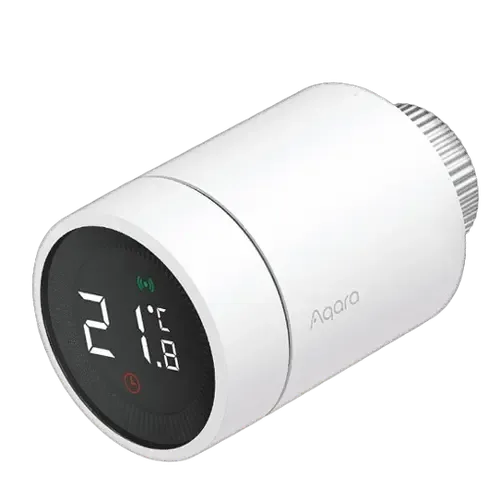
Option 1 · Aqara
Aqara Radiator Thermostat E1
Catalog update date not recorded
View full device profile
The Smart Device Compare comparison
Understand the differences. Decide what matters to your home.
Build another comparison →Before you compare every specification
A summary of selected recorded differences between these radiator valves. Check the full specification table below for details and conditions.
These observations are derived from recorded catalog data and have not all been independently verified. Confirm details with the manufacturer before purchasing.
Compare capabilities, compatibility and setup requirements.
Option 1 · Aqara
Catalog update date not recorded
View full device profile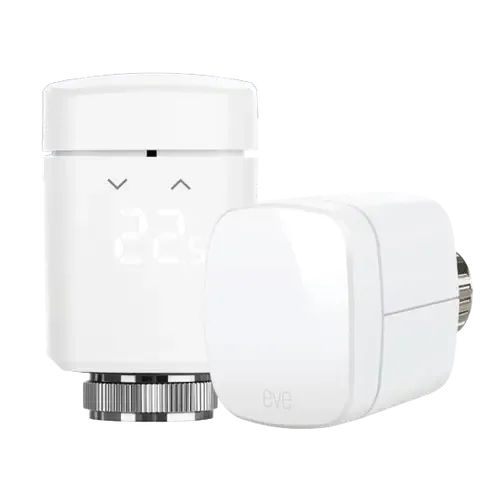
What the catalog tells us
These counts describe the available data, not a quality score. More features do not automatically make a better device.
Consider your setup
Confirm which features appear in Apple Home and whether extra hardware or a subscription is needed for your intended use.
Inspect the specificationsConsider your setup
Confirm the exact device type and the features exposed in your chosen platform. Protocol support does not establish feature parity across apps.
Inspect the specificationsYour priorities, side by side
Mark the specifications you care about. Open manufacturer sources for verification scope; fields without citations remain catalog data. Expand notes for other qualifications.
Showing 27 of 27 rows. “Not recorded” does not mean “No”.
The Thermostat can receive the temperature readings directly from the connected Aqara Temperature and Humidity Sensor from another corner of the room, even in HomeKit!
The geofencing technology will start the heating before arriving home.
Don't live life to a fixed schedule? Have Eve Thermo reduce the temperature when everyone’s left for the day. Then as soon as someone returns home, have Eve Thermo raise the temperature automatically | To control your heating based on location, you need a home hub (HomePod mini, HomePod or Apple TV).
Pairs directly with a SmartThings hub over Zigbee through SmartThings' own zigbee-thermostat Edge driver (fingerprint lumi.airrtc.agl001), no Aqara hub needed; also via Matter through an Aqara hub.
The thermostat has a built-in temperature sensor, which is used to detect the temperature around the radiator and provide auxiliary temperature control. You can also use the Connect the Temperature Sensor function with the Aqara Home app to network with the Aqara Temperature & Humidity Sensor, to get a better temperature control experience.
| Specification | Aqara Radiator Thermostat E1 | Eve Thermo |
|---|---|---|
| Connectivity | ||
| No | No | |
| No | No | |
| No | Yes | |
| No | Thread Border Router required | |
| No | No | |
| Zigbee Hub required | No | |
| Display | ||
| Yes | Yes | |
| LCD | LED | |
| Features | ||
| Yes | Yes | |
| Not recorded | Yes | |
| Yes | Yes | |
YesCatalog noteThe Thermostat can receive the temperature readings directly from the connected Aqara Temperature and Humidity Sensor from another corner of the room, even in HomeKit! | No | |
| Yes | Yes | |
YesCatalog noteThe geofencing technology will start the heating before arriving home. | Hub requiredCatalog noteDon't live life to a fixed schedule? Have Eve Thermo reduce the temperature when everyone’s left for the day. Then as soon as someone returns home, have Eve Thermo raise the temperature automatically | To control your heating based on location, you need a home hub (HomePod mini, HomePod or Apple TV). | |
| Integrations | ||
| Aqara Hub required | Yes | |
| Aqara Hub required | Yes | |
| Aqara Hub required | Yes | |
| Yes | Yes | |
| Aqara Hub required | Yes | |
YesCatalog notePairs directly with a SmartThings hub over Zigbee through SmartThings' own zigbee-thermostat Edge driver (fingerprint lumi.airrtc.agl001), no Aqara hub needed; also via Matter through an Aqara hub. | Yes | |
| Power | ||
| 1 year | Not recorded | |
| 2x AA | 2x AA | |
| Scheduling | ||
| No | No | |
| Yes | Yes | |
| No | No | |
| Sensors | ||
| No | No | |
YesCatalog noteThe thermostat has a built-in temperature sensor, which is used to detect the temperature around the radiator and provide auxiliary temperature control. You can also use the Connect the Temperature Sensor function with the Aqara Home app to network with the Aqara Temperature & Humidity Sensor, to get a better temperature control experience. | Yes | |
The table matches specifications by section and field. It preserves notes, separates missing data from explicit “No” values, and keeps qualifications attached to their values. No overall winner is assigned from feature counts.
Read our comparison methodology