
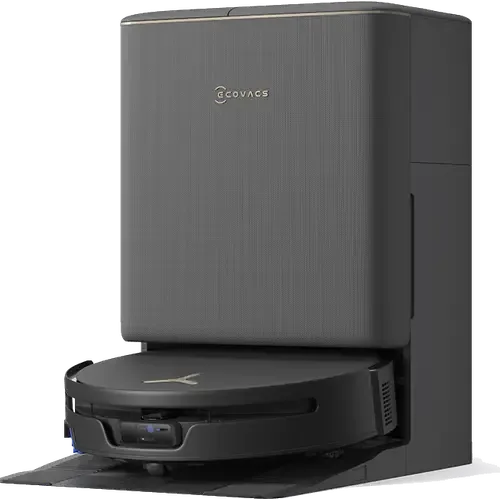
The Smart Device Compare comparison
Ecovacs DEEBOT T90S PRO Omni vs MOVA Z60 Ultra Roller SA
Understand the differences. Decide what matters to your home.
Build another comparison →Before you compare every specification
Key differences between Ecovacs DEEBOT T90S PRO Omni and MOVA Z60 Ultra Roller SA
A summary of selected recorded differences between these robot vacuums. Check the full specification table below for details and conditions.
Feature differences among your selected devices
- Apple Home (integrations): Ecovacs DEEBOT T90S PRO Omni — Yes (Via Matter); MOVA Z60 Ultra Roller SA — No (The model carries no Matter certification, MOVA has no product in Apple's Works with Apple Home accessory list, and the manual documents no HomeKit setup, so there is no Apple Home path).
- Matter (integrations): Ecovacs DEEBOT T90S PRO Omni — Yes (The Ecovacs Home app exposes the DEEBOT to Matter ecosystems.); MOVA Z60 Ultra Roller SA — No (A keyword search for MOVA in the CSA certified products database returns no entries, and MOVA claims no Matter support for this model).
- SmartThings (integrations): Ecovacs DEEBOT T90S PRO Omni — Yes (Via Matter); MOVA Z60 Ultra Roller SA — No (Without Matter certification the automatic Works with SmartThings path does not apply, and MOVA publishes no SmartThings account linking for its robot vacuums).
Specifications to check side by side
- Dock Dustbin Capacity (features): Ecovacs DEEBOT T90S PRO Omni — 2.5L; MOVA Z60 Ultra Roller SA — 3.2L.
- Battery Life (power): Ecovacs DEEBOT T90S PRO Omni — 200 minutes; MOVA Z60 Ultra Roller SA — 220 minutes (6400 mAh battery; the Amazon US listing states a 220 minute battery life, while the Canadian listing states 3.5 hours).
- Suction Power (suction performance): Ecovacs DEEBOT T90S PRO Omni — 40000Pa; MOVA Z60 Ultra Roller SA — 26000Pa (MOVA rates the maximum suction at 26,000Pa from a high-speed TurboForce motor paired with the airflow-optimized TroboWave DuoBrush).
Information still to confirm
- 7 of 37 comparison fields lack a resolved value for at least one selected device. Missing information is not evidence that a feature is absent.
- Check the full table and manufacturer documentation before ruling out a device.
These observations are derived from recorded catalog data and have not all been independently verified. Confirm details with the manufacturer before purchasing.
Compare capabilities, compatibility and setup requirements.
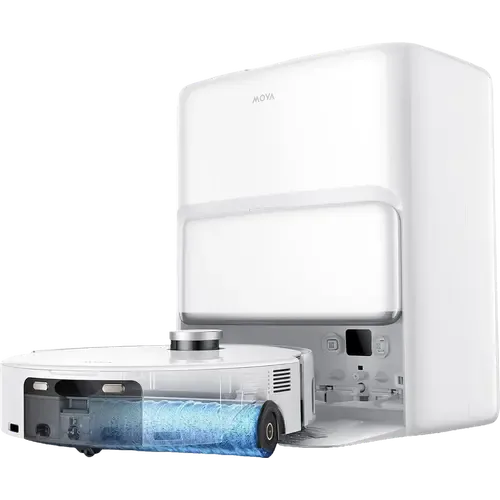
What the catalog tells us
Understand the tradeoffs.
These counts describe the available data, not a quality score. More features do not automatically make a better device.
6differences with recorded values for every device
7rows with missing or unspecified information
Consider your setup
Apple Home
- Ecovacs DEEBOT T90S PRO OmniYes
- MOVA Z60 Ultra Roller SANo
Confirm which features appear in Apple Home and whether extra hardware or a subscription is needed for your intended use.
Inspect the specificationsConsider your setup
Matter
- Ecovacs DEEBOT T90S PRO OmniYes
- MOVA Z60 Ultra Roller SANo
Confirm the exact device type and the features exposed in your chosen platform. Protocol support does not establish feature parity across apps.
Inspect the specificationsConsider your setup
Battery Life
- Ecovacs DEEBOT T90S PRO Omni200 minutes
- MOVA Z60 Ultra Roller SA220 minutes
Compare the stated test conditions. Catalog battery figures alone do not predict runtime in your home.
Inspect the specificationsYour priorities, side by side
Focus on what changes.
Mark the specifications you care about. Open manufacturer sources for verification scope; fields without citations remain catalog data. Expand notes for other qualifications.
Showing 37 of 37 rows. “Not recorded” does not mean “No”.
Connectivity
- Ecovacs DEEBOT T90S PRO Omni
- Yes
- MOVA Z60 Ultra Roller SA
- Yes
Catalog note
Operation frequency 2400 to 2483.5 MHz per the user manual specifications, which also notes that only 2.4 GHz Wi-Fi is supported
- Ecovacs DEEBOT T90S PRO Omni
- No
- MOVA Z60 Ultra Roller SA
- No
Catalog note
The user manual states the robot does not support a 5 GHz Wi-Fi connection
- Ecovacs DEEBOT T90S PRO Omni
- Not recorded
- MOVA Z60 Ultra Roller SA
- No
Catalog note
The manual's radio specifications list only the 2.4 GHz Wi-Fi band, and setup is done by scanning a QR code in the MOVAhome app rather than by Bluetooth pairing
- Ecovacs DEEBOT T90S PRO Omni
- No
- MOVA Z60 Ultra Roller SA
- No
- Ecovacs DEEBOT T90S PRO Omni
- No
- MOVA Z60 Ultra Roller SA
- No
- Ecovacs DEEBOT T90S PRO Omni
- No
- MOVA Z60 Ultra Roller SA
- No
Features
- Ecovacs DEEBOT T90S PRO Omni
- Not recorded
- MOVA Z60 Ultra Roller SA
- Yes
Catalog note
The manual states child lock can be enabled and disabled through the MOVAhome app
- Ecovacs DEEBOT T90S PRO Omni
- 2.5L
- MOVA Z60 Ultra Roller SA
- 3.2L
- Ecovacs DEEBOT T90S PRO Omni
- 60dB
- MOVA Z60 Ultra Roller SA
- Not recorded
- Ecovacs DEEBOT T90S PRO Omni
- 250ml
- MOVA Z60 Ultra Roller SA
- Not recorded
- Ecovacs DEEBOT T90S PRO Omni
- Yes
- MOVA Z60 Ultra Roller SA
- Yes
Catalog note
The MOVAhome app follows every step of the clean with 3D animations of mapping, washing and drying, and the AI-PetMate mode uses the onboard camera to check in on pets while you are away
- Ecovacs DEEBOT T90S PRO Omni
- Yes
- MOVA Z60 Ultra Roller SA
- Yes
Catalog note
Cleaning times are set per task in the MOVAhome app, with quiet hours and a Do Not Disturb period that defaults to 22:00 to 8:00
- Ecovacs DEEBOT T90S PRO Omni
- Yes
- MOVA Z60 Ultra Roller SA
- Yes
Catalog note
The base station empties the robot into a 3.2 L dust bag, which MOVA rates for up to 100 days of hands-free use
Integrations
- Ecovacs DEEBOT T90S PRO Omni
- Yes
- MOVA Z60 Ultra Roller SA
- Yes
Catalog note
The MOVAhome smart home skill links the MOVAhome account to Alexa so the robot vacuum appears in the device list and can be started, paused and sent back to charge by voice
- Ecovacs DEEBOT T90S PRO Omni
- Yes
Catalog note
Via Matter
- MOVA Z60 Ultra Roller SA
- No
Catalog note
The model carries no Matter certification, MOVA has no product in Apple's Works with Apple Home accessory list, and the manual documents no HomeKit setup, so there is no Apple Home path
- Ecovacs DEEBOT T90S PRO Omni
- Yes
- MOVA Z60 Ultra Roller SA
- Not recorded
Catalog note
MOVA's marketing pages mention Google Assistant for its robot vacuums, but the same sentences also claim Siri support, which this model has no path to, and the Google Home device directory could not be searched for the model
- Ecovacs DEEBOT T90S PRO Omni
- Yes
Catalog note
The official Home Assistant Ecovacs integration controls DEEBOT robot vacuums.
- MOVA Z60 Ultra Roller SA
- Yes
Catalog note
The community Dreame Vacuum integration for Home Assistant, installed through HACS, lists this exact model as mova.vacuum.r9544b
- Ecovacs DEEBOT T90S PRO Omni
- Yes
Catalog note
The Ecovacs Home app exposes the DEEBOT to Matter ecosystems.
- MOVA Z60 Ultra Roller SA
- No
Catalog note
A keyword search for MOVA in the CSA certified products database returns no entries, and MOVA claims no Matter support for this model
- Ecovacs DEEBOT T90S PRO Omni
- Yes
Catalog note
Via Matter
- MOVA Z60 Ultra Roller SA
- No
Catalog note
Without Matter certification the automatic Works with SmartThings path does not apply, and MOVA publishes no SmartThings account linking for its robot vacuums
Mopping
- Ecovacs DEEBOT T90S PRO Omni
- Yes
- MOVA Z60 Ultra Roller SA
- Yes
Catalog note
The base station performs an automatic solution refill from a 600 ml dispenser during cleaning
- Ecovacs DEEBOT T90S PRO Omni
- Yes
- MOVA Z60 Ultra Roller SA
- Yes
Catalog note
Hot air drying at 63 °C (145 °F) circulates warm air over the roller to prevent mildew and odors
- Ecovacs DEEBOT T90S PRO Omni
- Yes
- MOVA Z60 Ultra Roller SA
- Yes
Catalog note
The roller mop lifts 14 mm on carpet detection, and lifts again with the side brush when a job is set to vacuum only
- Ecovacs DEEBOT T90S PRO Omni
- Yes
- MOVA Z60 Ultra Roller SA
- Yes
Catalog note
Four-tier hot wash system in the base station with ambient, 45 °C, 60 °C and 80 °C (176 °F) water settings, plus a self-cleaning washboard
- Ecovacs DEEBOT T90S PRO Omni
- Yes
- MOVA Z60 Ultra Roller SA
- Yes
Catalog note
A single-compartment auto solution dispenser module comes pre-installed in the base station and a bottle of MOVA cleaning solution is in the box
- Ecovacs DEEBOT T90S PRO Omni
- Yes
Catalog note
OZMO Roller 3.0 self-washing roller mop with 32-way pressurized fresh-water flow
- MOVA Z60 Ultra Roller SA
- Yes
Catalog note
HydroForce roller mop 25.6 cm wide with a 4.3 cm intelligent extension, fed by a 12-nozzle spray system at 4100Pa of downward pressure, with 360 degree dirt scraping and real-time used water removal into a separate tank
- Ecovacs DEEBOT T90S PRO Omni
- 4L
- MOVA Z60 Ultra Roller SA
- 4L
Catalog note
The manual states the available volume of the base station clean water tank is up to 4 L
Navigation
- Ecovacs DEEBOT T90S PRO Omni
- Not recorded
- MOVA Z60 Ultra Roller SA
- Yes
Catalog note
The manual's product overview and sensor maintenance diagram both list an edge sensor on the underside of the robot, alongside the caster and omnidirectional wheels
- Ecovacs DEEBOT T90S PRO Omni
- Yes
- MOVA Z60 Ultra Roller SA
- Yes
Catalog note
Fast Mapping builds the map, and the MOVAhome app supports mapping and cleaning on multiple floors and choosing individual rooms for targeted cleaning
- Ecovacs DEEBOT T90S PRO Omni
- Laser (LiDAR)
- MOVA Z60 Ultra Roller SA
- Laser (LiDAR)
Catalog note
FlexScope retractable DToF laser distance sensor that lowers to keep the body 96 mm tall, working with 3D dual-line laser sensors, an AI HD camera, an AI IR camera and an LED auxiliary light
- Ecovacs DEEBOT T90S PRO Omni
- Yes
- MOVA Z60 Ultra Roller SA
- Yes
Catalog note
The MOVAhome app lets you set virtual boundaries and mark furniture, curtains and floor types to steer the cleaning strategy
- Ecovacs DEEBOT T90S PRO Omni
- Yes
Catalog note
AIVI 3D 4.0 camera and structured-light obstacle avoidance with LED assist
- MOVA Z60 Ultra Roller SA
- Yes
Catalog note
Triple sensor system of RGB camera vision, a 3D structured light scanner and a side laser, which MOVA rates at more than 200 obstacle types, with auto LED illumination for darkness
Power
- Ecovacs DEEBOT T90S PRO Omni
- Yes
- MOVA Z60 Ultra Roller SA
- Yes
Catalog note
MOVA states the robot auto-recharges and resumes cleaning, with 30% faster off-peak charging
- Ecovacs DEEBOT T90S PRO Omni
- 200 minutes
- MOVA Z60 Ultra Roller SA
- 220 minutes
Catalog note
6400 mAh battery; the Amazon US listing states a 220 minute battery life, while the Canadian listing states 3.5 hours
- Ecovacs DEEBOT T90S PRO Omni
- Not recorded
- MOVA Z60 Ultra Roller SA
- 4.5 hours
Catalog note
The user manual specifications state a charging time of approximately 4.5 hours
Suction Performance
- Ecovacs DEEBOT T90S PRO Omni
- Yes
Catalog note
Carpet detection with a physical cover and 15 mm roller lift to keep rugs dry
- MOVA Z60 Ultra Roller SA
- Yes
Catalog note
An onboard carpet sensor triggers AutoShield, which lifts the roller mop and rotates a physical shield over it so rugs are vacuumed rather than dampened
- Ecovacs DEEBOT T90S PRO Omni
- Yes
Catalog note
ZeroTangle 4.0 anti-tangle main brush and side brush
- MOVA Z60 Ultra Roller SA
- Yes
Catalog note
Single MaxiReach side brush that extends outward for wall edges and lifts up to 10 mm for wet and dry separation, with an eccentric anti-tangle design
- Ecovacs DEEBOT T90S PRO Omni
- 40000Pa
- MOVA Z60 Ultra Roller SA
- 26000Pa
Catalog note
MOVA rates the maximum suction at 26,000Pa from a high-speed TurboForce motor paired with the airflow-optimized TroboWave DuoBrush
| Specification | Ecovacs DEEBOT T90S PRO Omni | MOVA Z60 Ultra Roller SA |
|---|---|---|
| Connectivity | ||
| Yes | YesCatalog noteOperation frequency 2400 to 2483.5 MHz per the user manual specifications, which also notes that only 2.4 GHz Wi-Fi is supported | |
| No | NoCatalog noteThe user manual states the robot does not support a 5 GHz Wi-Fi connection | |
| Not recorded | NoCatalog noteThe manual's radio specifications list only the 2.4 GHz Wi-Fi band, and setup is done by scanning a QR code in the MOVAhome app rather than by Bluetooth pairing | |
| No | No | |
| No | No | |
| No | No | |
| Features | ||
| Not recorded | YesCatalog noteThe manual states child lock can be enabled and disabled through the MOVAhome app | |
| 2.5L | 3.2L | |
| 60dB | Not recorded | |
| 250ml | Not recorded | |
| Yes | YesCatalog noteThe MOVAhome app follows every step of the clean with 3D animations of mapping, washing and drying, and the AI-PetMate mode uses the onboard camera to check in on pets while you are away | |
| Yes | YesCatalog noteCleaning times are set per task in the MOVAhome app, with quiet hours and a Do Not Disturb period that defaults to 22:00 to 8:00 | |
| Yes | YesCatalog noteThe base station empties the robot into a 3.2 L dust bag, which MOVA rates for up to 100 days of hands-free use | |
| Integrations | ||
| Yes | YesCatalog noteThe MOVAhome smart home skill links the MOVAhome account to Alexa so the robot vacuum appears in the device list and can be started, paused and sent back to charge by voice | |
YesCatalog noteVia Matter | NoCatalog noteThe model carries no Matter certification, MOVA has no product in Apple's Works with Apple Home accessory list, and the manual documents no HomeKit setup, so there is no Apple Home path | |
| Yes | Not recordedCatalog noteMOVA's marketing pages mention Google Assistant for its robot vacuums, but the same sentences also claim Siri support, which this model has no path to, and the Google Home device directory could not be searched for the model | |
YesCatalog noteThe official Home Assistant Ecovacs integration controls DEEBOT robot vacuums. | YesCatalog noteThe community Dreame Vacuum integration for Home Assistant, installed through HACS, lists this exact model as mova.vacuum.r9544b | |
YesCatalog noteThe Ecovacs Home app exposes the DEEBOT to Matter ecosystems. | NoCatalog noteA keyword search for MOVA in the CSA certified products database returns no entries, and MOVA claims no Matter support for this model | |
YesCatalog noteVia Matter | NoCatalog noteWithout Matter certification the automatic Works with SmartThings path does not apply, and MOVA publishes no SmartThings account linking for its robot vacuums | |
| Mopping | ||
| Yes | YesCatalog noteThe base station performs an automatic solution refill from a 600 ml dispenser during cleaning | |
| Yes | YesCatalog noteHot air drying at 63 °C (145 °F) circulates warm air over the roller to prevent mildew and odors | |
| Yes | YesCatalog noteThe roller mop lifts 14 mm on carpet detection, and lifts again with the side brush when a job is set to vacuum only | |
| Yes | YesCatalog noteFour-tier hot wash system in the base station with ambient, 45 °C, 60 °C and 80 °C (176 °F) water settings, plus a self-cleaning washboard | |
| Yes | YesCatalog noteA single-compartment auto solution dispenser module comes pre-installed in the base station and a bottle of MOVA cleaning solution is in the box | |
YesCatalog noteOZMO Roller 3.0 self-washing roller mop with 32-way pressurized fresh-water flow | YesCatalog noteHydroForce roller mop 25.6 cm wide with a 4.3 cm intelligent extension, fed by a 12-nozzle spray system at 4100Pa of downward pressure, with 360 degree dirt scraping and real-time used water removal into a separate tank | |
| 4L | 4LCatalog noteThe manual states the available volume of the base station clean water tank is up to 4 L | |
| Navigation | ||
| Not recorded | YesCatalog noteThe manual's product overview and sensor maintenance diagram both list an edge sensor on the underside of the robot, alongside the caster and omnidirectional wheels | |
| Yes | YesCatalog noteFast Mapping builds the map, and the MOVAhome app supports mapping and cleaning on multiple floors and choosing individual rooms for targeted cleaning | |
| Laser (LiDAR) | Laser (LiDAR)Catalog noteFlexScope retractable DToF laser distance sensor that lowers to keep the body 96 mm tall, working with 3D dual-line laser sensors, an AI HD camera, an AI IR camera and an LED auxiliary light | |
| Yes | YesCatalog noteThe MOVAhome app lets you set virtual boundaries and mark furniture, curtains and floor types to steer the cleaning strategy | |
YesCatalog noteAIVI 3D 4.0 camera and structured-light obstacle avoidance with LED assist | YesCatalog noteTriple sensor system of RGB camera vision, a 3D structured light scanner and a side laser, which MOVA rates at more than 200 obstacle types, with auto LED illumination for darkness | |
| Power | ||
| Yes | YesCatalog noteMOVA states the robot auto-recharges and resumes cleaning, with 30% faster off-peak charging | |
| 200 minutes | 220 minutesCatalog note6400 mAh battery; the Amazon US listing states a 220 minute battery life, while the Canadian listing states 3.5 hours | |
| Not recorded | 4.5 hoursCatalog noteThe user manual specifications state a charging time of approximately 4.5 hours | |
| Suction Performance | ||
YesCatalog noteCarpet detection with a physical cover and 15 mm roller lift to keep rugs dry | YesCatalog noteAn onboard carpet sensor triggers AutoShield, which lifts the roller mop and rotates a physical shield over it so rugs are vacuumed rather than dampened | |
YesCatalog noteZeroTangle 4.0 anti-tangle main brush and side brush | YesCatalog noteSingle MaxiReach side brush that extends outward for wall edges and lifts up to 10 mm for wet and dry separation, with an eccentric anti-tangle design | |
| 40000Pa | 26000PaCatalog noteMOVA rates the maximum suction at 26,000Pa from a high-speed TurboForce motor paired with the airflow-optimized TroboWave DuoBrush | |
Know what’s behind the comparison.
The table matches specifications by section and field. It preserves notes, separates missing data from explicit “No” values, and keeps qualifications attached to their values. No overall winner is assigned from feature counts.
Read our comparison methodology