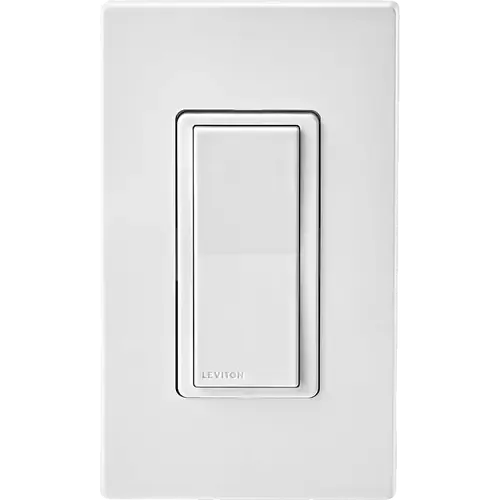
Option 1 · Leviton
Leviton Decora Smart Wi-Fi Switch D315S
Last updated October 2026
View full device profile
The Smart Device Compare comparison
Understand the differences. Decide what matters to your home.
Build another comparison →Before you compare every specification
A summary of selected recorded differences between these wall switches. Check the full specification table below for details and conditions.
These observations are derived from recorded catalog data and have not all been independently verified. Confirm details with the manufacturer before purchasing.
Compare capabilities, compatibility and setup requirements.
Option 1 · Leviton
Last updated October 2026
View full device profile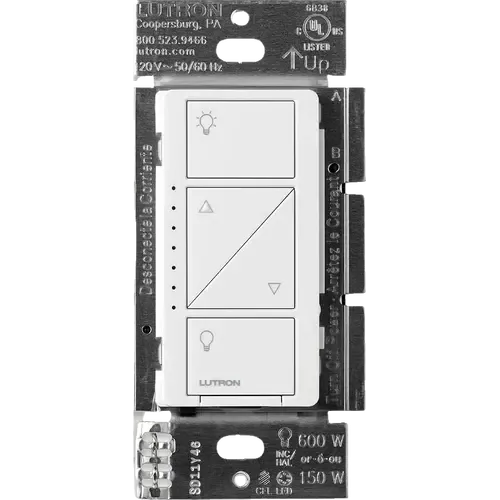
Option 2 · Lutron
Last updated October 2026
View full device profileWhat the catalog tells us
These counts describe the available data, not a quality score. More features do not automatically make a better device.
Consider your setup
Confirm which features appear in Apple Home and whether extra hardware or a subscription is needed for your intended use.
Inspect the specificationsConsider your setup
Check the integration method, supported model and firmware. A catalog Yes does not establish local control or official support.
Inspect the specificationsConsider your setup
Confirm the exact device type and the features exposed in your chosen platform. Protocol support does not establish feature parity across apps.
Inspect the specificationsYour priorities, side by side
Mark the specifications you care about. Open manufacturer sources for verification scope; fields without citations remain catalog data. Expand notes for other qualifications.
Showing 34 of 34 rows. “Not recorded” does not mean “No”.
802.11 b/g/n on 2.4 GHz, with WPA, WPA2, WPA3 or open security
The dimmer talks to the Lutron Smart Hub, Pico remotes and motion sensors over Lutron's own Clear Connect RF technology instead of Wi-Fi, which is why the lights keep responding when the router is down
Leviton's network specification is 2.4 GHz only
Bluetooth v5.0 on board, and the CSA Matter certificate lists Wi-Fi and Bluetooth as the transports of this model
This is the Wi-Fi model; Leviton's Z-Wave switches are a separate Decora Smart line
The LED can be set to light when the load is on, when the load is off (the default) or to stay off, from the My Leviton app or the switch's own setup mode
Lutron documents the LED behaviour on this model as fixed, with no brightness setting or off option (the newer Diva line uses an adjustable light bar instead)
Schedules with sunrise and sunset triggers, room scenes, activities and an auto-shutoff timer in the My Leviton app, with schedules stored on the device so they keep running during an internet outage
Scenes, schedules, geofencing, Smart Away and timers from the Lutron app, plus up to 10 Pico remotes or motion sensors paired directly to the dimmer
Onboard memory keeps the configuration and the schedules, and the switch returns to its last state when power is restored
Power failure memory: if power is interrupted, the control returns to the level it was set to before the interruption
Status LED that illuminates when the lights are off so the switch is easy to find in the dark, and reports connectivity and device status
Green status LEDs show the load level and glow softly as a night light when the load is off
The switch is wired to the load it controls; the wire-free half of the system is the separate Decora Smart Anywhere Companion (DAWSC)
The dimmer is wired to the load it controls; the wire-free half of the system is the separate Pico remote
Leviton lists Amazon Alexa control for the D315S
Lutron lists Amazon Alexa among the platforms Caseta works with, through the Lutron Smart Hub
Leviton lists Apple Home and Siri, and the switch is Matter certified, so Apple Home commissions it over Matter
Lutron states the smart hub itself contains Apple Home technology, so Siri controls the lights once the dimmer is paired to it
Leviton lists Google Home and Hey Google voice control for the D315S
Lutron lists Google Assistant among the platforms Caseta works with, through the Lutron Smart Hub
Leviton lists Home Assistant, which is a certified Matter controller; the core Leviton Decora Smart Wi-Fi integration also connects the My Leviton account
The core Lutron Caseta integration talks to the Lutron Caseta Smart Hub (L-BDG2-WH) and exposes wall dimmers as lights
Matter ready out of the box, certified by the CSA under certificate CSA25943MAT47253-24; the setup code is on the device, on the packaging and in the My Leviton app, and the switch can be commissioned into several Matter controllers
The CSA certified-product database holds no Matter certification for Lutron (only two Zigbee 3.0 Aurora dimmers), and Lutron's own Caseta compatibility page never mentions Matter
Leviton lists SmartThings, and Matter certification grants the Works with SmartThings path
Lutron publishes a Caseta page for Samsung SmartThings: lights and shades are controlled from the SmartThings app once the Lutron Smart Hub is connected
Load rating of 120VAC, 60Hz
Operating voltage 120 V~ 50/60 Hz
Leviton's ratings chart lists LED/CFL loads up to 3A alongside the 15A general use and 1/3 HP motor ratings
Dimmable CFL up to 150 W, per Lutron's in-wall dimmer specification submittal 369804c
Rated for motor loads up to 1/3 HP, so it can switch ceiling fans, exhaust fans and pumps
Dimmable LED rated for 120 V~, up to 150 W with LED+ forward-phase dimming
Amazon's Product Information lists the dimmer's current rating as 1.25 A
A neutral wire in the wallbox is required; Leviton's no-neutral Wi-Fi switch is the separate DN15S, which needs the MLWSB bridge
Two-wire dimmer designed for retrofit, so no neutral wire is needed in the wallbox
Rated 15A general use at 120VAC, which covers incandescent and other general purpose loads
Incandescent and halogen loads, 25 W minimum and 600 W maximum when not ganged
Neither the D315S installation instructions nor Leviton's published specifications describe an over-temperature cutoff
| Specification | Leviton Decora Smart Wi-Fi Switch D315S | Lutron Caseta Original Smart Dimmer Switch |
|---|---|---|
| Connectivity | ||
YesCatalog note802.11 b/g/n on 2.4 GHz, with WPA, WPA2, WPA3 or open security | NoCatalog noteThe dimmer talks to the Lutron Smart Hub, Pico remotes and motion sensors over Lutron's own Clear Connect RF technology instead of Wi-Fi, which is why the lights keep responding when the router is down | |
NoCatalog noteLeviton's network specification is 2.4 GHz only | No | |
YesCatalog noteBluetooth v5.0 on board, and the CSA Matter certificate lists Wi-Fi and Bluetooth as the transports of this model | No | |
| No | No | |
NoCatalog noteThis is the Wi-Fi model; Leviton's Z-Wave switches are a separate Decora Smart line | No | |
| No | No | |
| Features | ||
YesCatalog noteThe LED can be set to light when the load is on, when the load is off (the default) or to stay off, from the My Leviton app or the switch's own setup mode | NoCatalog noteLutron documents the LED behaviour on this model as fixed, with no brightness setting or off option (the newer Diva line uses an adjustable light bar instead) | |
YesCatalog noteSchedules with sunrise and sunset triggers, room scenes, activities and an auto-shutoff timer in the My Leviton app, with schedules stored on the device so they keep running during an internet outage | YesCatalog noteScenes, schedules, geofencing, Smart Away and timers from the Lutron app, plus up to 10 Pico remotes or motion sensors paired directly to the dimmer | |
| No | No | |
YesCatalog noteOnboard memory keeps the configuration and the schedules, and the switch returns to its last state when power is restored | YesCatalog notePower failure memory: if power is interrupted, the control returns to the level it was set to before the interruption | |
YesCatalog noteStatus LED that illuminates when the lights are off so the switch is easy to find in the dark, and reports connectivity and device status | YesCatalog noteGreen status LEDs show the load level and glow softly as a night light when the load is off | |
| 1 | 1 | |
NoCatalog noteThe switch is wired to the load it controls; the wire-free half of the system is the separate Decora Smart Anywhere Companion (DAWSC) | NoCatalog noteThe dimmer is wired to the load it controls; the wire-free half of the system is the separate Pico remote | |
| Integrations | ||
YesCatalog noteLeviton lists Amazon Alexa control for the D315S | Lutron Hub requiredCatalog noteLutron lists Amazon Alexa among the platforms Caseta works with, through the Lutron Smart Hub | |
YesCatalog noteLeviton lists Apple Home and Siri, and the switch is Matter certified, so Apple Home commissions it over Matter | Lutron Hub requiredCatalog noteLutron states the smart hub itself contains Apple Home technology, so Siri controls the lights once the dimmer is paired to it | |
YesCatalog noteLeviton lists Google Home and Hey Google voice control for the D315S | Lutron Hub requiredCatalog noteLutron lists Google Assistant among the platforms Caseta works with, through the Lutron Smart Hub | |
YesCatalog noteLeviton lists Home Assistant, which is a certified Matter controller; the core Leviton Decora Smart Wi-Fi integration also connects the My Leviton account | Lutron Hub requiredCatalog noteThe core Lutron Caseta integration talks to the Lutron Caseta Smart Hub (L-BDG2-WH) and exposes wall dimmers as lights | |
YesCatalog noteMatter ready out of the box, certified by the CSA under certificate CSA25943MAT47253-24; the setup code is on the device, on the packaging and in the My Leviton app, and the switch can be commissioned into several Matter controllers | NoCatalog noteThe CSA certified-product database holds no Matter certification for Lutron (only two Zigbee 3.0 Aurora dimmers), and Lutron's own Caseta compatibility page never mentions Matter | |
YesCatalog noteLeviton lists SmartThings, and Matter certification grants the Works with SmartThings path | Lutron Hub requiredCatalog noteLutron publishes a Caseta page for Samsung SmartThings: lights and shades are controlled from the SmartThings app once the Lutron Smart Hub is connected | |
| Power | ||
120VCatalog noteLoad rating of 120VAC, 60Hz | 120VCatalog noteOperating voltage 120 V~ 50/60 Hz | |
YesCatalog noteLeviton's ratings chart lists LED/CFL loads up to 3A alongside the 15A general use and 1/3 HP motor ratings | YesCatalog noteDimmable CFL up to 150 W, per Lutron's in-wall dimmer specification submittal 369804c | |
| 3A | Not recorded | |
| Not recorded | 150W | |
YesCatalog noteRated for motor loads up to 1/3 HP, so it can switch ceiling fans, exhaust fans and pumps | YesCatalog noteDimmable LED rated for 120 V~, up to 150 W with LED+ forward-phase dimming | |
| Not recorded | 1.25ACatalog noteAmazon's Product Information lists the dimmer's current rating as 1.25 A | |
| 1/3 HP | 150W | |
YesCatalog noteA neutral wire in the wallbox is required; Leviton's no-neutral Wi-Fi switch is the separate DN15S, which needs the MLWSB bridge | NoCatalog noteTwo-wire dimmer designed for retrofit, so no neutral wire is needed in the wallbox | |
YesCatalog noteRated 15A general use at 120VAC, which covers incandescent and other general purpose loads | YesCatalog noteIncandescent and halogen loads, 25 W minimum and 600 W maximum when not ganged | |
| 15A | Not recorded | |
| Not recorded | 600W | |
| Safety Features | ||
| No | No | |
NoCatalog noteNeither the D315S installation instructions nor Leviton's published specifications describe an over-temperature cutoff | No | |
| No | No | |
| No | No | |
The table matches specifications by section and field. It preserves notes, separates missing data from explicit “No” values, and keeps qualifications attached to their values. No overall winner is assigned from feature counts.
Read our comparison methodology