

The Smart Device Compare comparison
Sonoff Orb Socket Type E vs Sonoff Wi-Fi Smart In-Wall Outlet
Understand the differences. Decide what matters to your home.
Build another comparison →Before you compare every specification
Key differences between Sonoff Orb Socket Type E and Sonoff Wi-Fi Smart In-Wall Outlet
A summary of selected recorded differences between these wall outlets. Check the full specification table below for details and conditions.
Feature differences among your selected devices
- On Off Button (features): Sonoff Orb Socket Type E — Yes (A short press on the faceplate button turns the socket on or off; a 5 second hold starts pairing.); Sonoff Wi-Fi Smart In-Wall Outlet — No.
- Power Off Memory (features): Sonoff Orb Socket Type E — Yes (The 'Power-On State' setting decides how the socket comes back after an outage.); Sonoff Wi-Fi Smart In-Wall Outlet — No.
- Apple Home (integrations): Sonoff Orb Socket Type E — Yes (Via Matter. SONOFF publishes an 'Add to Apple via Matter' guide for this model.); Sonoff Wi-Fi Smart In-Wall Outlet — No.
- Matter (integrations): Sonoff Orb Socket Type E — Yes (The product is sold as a Matter over Wi-Fi smart wall socket and SONOFF documents Matter commissioning by QR code.); Sonoff Wi-Fi Smart In-Wall Outlet — No.
Specifications to check side by side
- Plug Format (outputs): Sonoff Orb Socket Type E — Type E; Sonoff Wi-Fi Smart In-Wall Outlet — Type B.
- Ac Load Voltage (power): Sonoff Orb Socket Type E — 100-250V; Sonoff Wi-Fi Smart In-Wall Outlet — 120V.
- Resistive Maximum Load Current (power): Sonoff Orb Socket Type E — 16A; Sonoff Wi-Fi Smart In-Wall Outlet — 15A.
- Resistive Maximum Load Power (power): Sonoff Orb Socket Type E — 4000W; Sonoff Wi-Fi Smart In-Wall Outlet — 1800W.
Information still to confirm
- 9 of 36 comparison fields lack a resolved value for at least one selected device. Missing information is not evidence that a feature is absent.
- Check the full table and manufacturer documentation before ruling out a device.
These observations are derived from recorded catalog data and have not all been independently verified. Confirm details with the manufacturer before purchasing.
Compare capabilities, compatibility and setup requirements.
Option 2 · Sonoff
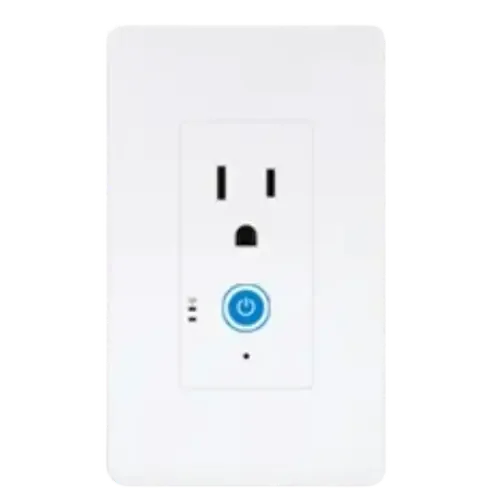
Sonoff Wi-Fi Smart In-Wall Outlet
Catalog update date not recorded
View full device profileWhat the catalog tells us
Understand the tradeoffs.
These counts describe the available data, not a quality score. More features do not automatically make a better device.
8differences with recorded values for every device
9rows with missing or unspecified information
Consider your setup
Apple Home
- Sonoff Orb Socket Type EYes
- Sonoff Wi-Fi Smart In-Wall OutletNo
Confirm which features appear in Apple Home and whether extra hardware or a subscription is needed for your intended use.
Inspect the specificationsConsider your setup
Matter
- Sonoff Orb Socket Type EYes
- Sonoff Wi-Fi Smart In-Wall OutletNo
Confirm the exact device type and the features exposed in your chosen platform. Protocol support does not establish feature parity across apps.
Inspect the specificationsYour priorities, side by side
Focus on what changes.
Mark the specifications you care about. Open manufacturer sources for verification scope; fields without citations remain catalog data. Expand notes for other qualifications.
Showing 36 of 36 rows. “Not recorded” does not mean “No”.
Connectivity
- Sonoff Orb Socket Type E
- Yes
Catalog note
IEEE 802.11 b/g/n 2.4GHz.
- Sonoff Wi-Fi Smart In-Wall Outlet
- Yes
- Sonoff Orb Socket Type E
- No
- Sonoff Wi-Fi Smart In-Wall Outlet
- No
- Sonoff Orb Socket Type E
- No
- Sonoff Wi-Fi Smart In-Wall Outlet
- No
- Sonoff Orb Socket Type E
- No
- Sonoff Wi-Fi Smart In-Wall Outlet
- No
- Sonoff Orb Socket Type E
- No
- Sonoff Wi-Fi Smart In-Wall Outlet
- No
- Sonoff Orb Socket Type E
- No
- Sonoff Wi-Fi Smart In-Wall Outlet
- No
Features
- Sonoff Orb Socket Type E
- Yes
Catalog note
The indicator light switches between Auto, Off and Night Mode, with a time window for Night Mode.
- Sonoff Wi-Fi Smart In-Wall Outlet
- Not recorded
- Sonoff Orb Socket Type E
- Yes
Catalog note
Schedules, countdown, inch move (auto off after a set duration) and smart scenes, in eWeLink and in every Matter platform SONOFF lists.
- Sonoff Wi-Fi Smart In-Wall Outlet
- Yes
- Sonoff Orb Socket Type E
- No
Catalog note
SONOFF's device settings list for this model (sharing, LAN control, overload protection, indicator light, power-on state, notifications, logs) has no button or settings lock.
- Sonoff Wi-Fi Smart In-Wall Outlet
- Not recorded
- Sonoff Orb Socket Type E
- Yes
Manufacturer source
Power consumption measurement is provided.
Sonoff Orb Socket Type E — manufacturer product description →- Source section
- Product description / feature descriptions
- Model
- WS01TPE-E
- Region
- Manufacturer listing for the named model/variant; regional equivalence has not been established
- Firmware
- Not specified by this source
- Checked
Check the specified variant, required hub and installation instructions. Manufacturer claims are not independent performance tests.
Document check only; not a hands-on test or verification of every regional or firmware variant.
Catalog note
Real-time voltage, current and power, historical energy charts, electricity bill tracking with a custom rate, and data export.
- Sonoff Wi-Fi Smart In-Wall Outlet
- Yes
Manufacturer source
IW100/IW101 product documentation describes power metering.
Sonoff Wi-Fi Smart In-Wall Outlet — manufacturer product description →- Source section
- Product description / feature descriptions
- Model
- IW100
- Region
- Manufacturer listing for the named model/variant; regional equivalence has not been established
- Firmware
- Not specified by this source
- Checked
Check the specified variant, required hub and installation instructions. Manufacturer claims are not independent performance tests.
Document check only; not a hands-on test or verification of every regional or firmware variant.
- Sonoff Orb Socket Type E
- Yes
Catalog note
A short press on the faceplate button turns the socket on or off; a 5 second hold starts pairing.
- Sonoff Wi-Fi Smart In-Wall Outlet
- No
- Sonoff Orb Socket Type E
- Yes
Catalog note
The 'Power-On State' setting decides how the socket comes back after an outage.
- Sonoff Wi-Fi Smart In-Wall Outlet
- No
- Sonoff Orb Socket Type E
- Yes
Catalog note
A blue Wi-Fi LED for network state and a red power indicator for the relay state.
- Sonoff Wi-Fi Smart In-Wall Outlet
- Yes
Integrations
- Sonoff Orb Socket Type E
- Yes
Catalog note
Via Matter, and also through eWeLink account linking.
- Sonoff Wi-Fi Smart In-Wall Outlet
- Yes
- Sonoff Orb Socket Type E
- Yes
Catalog note
Via Matter. SONOFF publishes an 'Add to Apple via Matter' guide for this model.
- Sonoff Wi-Fi Smart In-Wall Outlet
- No
- Sonoff Orb Socket Type E
- Yes
Catalog note
Via Matter, and also through eWeLink account linking.
- Sonoff Wi-Fi Smart In-Wall Outlet
- Yes
- Sonoff Orb Socket Type E
- Yes
Catalog note
Via Matter. SONOFF publishes an 'Add to Home Assistant via Matter' guide for this model, and lists power and energy monitoring as working there.
- Sonoff Wi-Fi Smart In-Wall Outlet
- Yes
- Sonoff Orb Socket Type E
- Yes
Manufacturer source
Matter connectivity is supported.
Sonoff Orb Socket Type E — manufacturer product description →- Source section
- Product description / feature descriptions
- Model
- WS01TPE-E
- Region
- Manufacturer listing for the named model/variant; regional equivalence has not been established
- Firmware
- Not specified by this source
- Checked
Check the specified variant, required hub and installation instructions. Manufacturer claims are not independent performance tests.
Document check only; not a hands-on test or verification of every regional or firmware variant.
Catalog note
The product is sold as a Matter over Wi-Fi smart wall socket and SONOFF documents Matter commissioning by QR code.
- Sonoff Wi-Fi Smart In-Wall Outlet
- No
- Sonoff Orb Socket Type E
- Yes
Catalog note
Via Matter. SONOFF publishes an 'Add to SmartThings via Matter' guide for this model.
- Sonoff Wi-Fi Smart In-Wall Outlet
- Yes
Outputs
- Sonoff Orb Socket Type E
- 1
- Sonoff Wi-Fi Smart In-Wall Outlet
- 1
- Sonoff Orb Socket Type E
- Type E
- Sonoff Wi-Fi Smart In-Wall Outlet
- Type B
- Sonoff Orb Socket Type E
- Not applicable / unspecified
- Sonoff Wi-Fi Smart In-Wall Outlet
- Not applicable / unspecified
Power
- Sonoff Orb Socket Type E
- 100-250V
- Sonoff Wi-Fi Smart In-Wall Outlet
- 120V
- Sonoff Orb Socket Type E
- Not recorded
- Sonoff Wi-Fi Smart In-Wall Outlet
- Not recorded
- Sonoff Orb Socket Type E
- Not recorded
- Sonoff Wi-Fi Smart In-Wall Outlet
- Not recorded
- Sonoff Orb Socket Type E
- Not recorded
- Sonoff Wi-Fi Smart In-Wall Outlet
- Not recorded
- Sonoff Orb Socket Type E
- Yes
Catalog note
The official product page states the socket takes most resistive loads and small-power inductive loads such as fans, within the 16A (4000W) ceiling.
- Sonoff Wi-Fi Smart In-Wall Outlet
- Not recorded
- Sonoff Orb Socket Type E
- Not recorded
- Sonoff Wi-Fi Smart In-Wall Outlet
- Not recorded
- Sonoff Orb Socket Type E
- Not recorded
- Sonoff Wi-Fi Smart In-Wall Outlet
- Not recorded
- Sonoff Orb Socket Type E
- Yes
Catalog note
The SONOFF help center rates the WS01TPE-E at 100V-250V~ 50/60Hz, 16A max resistive load.
- Sonoff Wi-Fi Smart In-Wall Outlet
- Yes
- Sonoff Orb Socket Type E
- 16A
- Sonoff Wi-Fi Smart In-Wall Outlet
- 15A
- Sonoff Orb Socket Type E
- 4000W
- Sonoff Wi-Fi Smart In-Wall Outlet
- 1800W
Safety Features
- Sonoff Orb Socket Type E
- Yes
Catalog note
Overload protection cuts power when the current passes a limit the user sets in the app, up to 16A.
- Sonoff Wi-Fi Smart In-Wall Outlet
- Yes
- Sonoff Orb Socket Type E
- No
Catalog note
SONOFF documents a fire-resistant housing but no temperature cut-off: the protections it lists are overload (current, voltage, power) and overcharge.
- Sonoff Wi-Fi Smart In-Wall Outlet
- No
- Sonoff Orb Socket Type E
- Yes
Catalog note
Overload protection cuts power when the wattage passes a limit the user sets in the app.
- Sonoff Wi-Fi Smart In-Wall Outlet
- Yes
- Sonoff Orb Socket Type E
- Yes
Catalog note
Overload protection cuts power when the voltage passes a limit the user sets in the app.
- Sonoff Wi-Fi Smart In-Wall Outlet
- Yes
| Specification | Sonoff Orb Socket Type E | Sonoff Wi-Fi Smart In-Wall Outlet |
|---|---|---|
| Connectivity | ||
YesCatalog noteIEEE 802.11 b/g/n 2.4GHz. | Yes | |
| No | No | |
| No | No | |
| No | No | |
| No | No | |
| No | No | |
| Features | ||
YesCatalog noteThe indicator light switches between Auto, Off and Night Mode, with a time window for Night Mode. | Not recorded | |
YesCatalog noteSchedules, countdown, inch move (auto off after a set duration) and smart scenes, in eWeLink and in every Matter platform SONOFF lists. | Yes | |
NoCatalog noteSONOFF's device settings list for this model (sharing, LAN control, overload protection, indicator light, power-on state, notifications, logs) has no button or settings lock. | Not recorded | |
YesManufacturer sourcePower consumption measurement is provided. Sonoff Orb Socket Type E — manufacturer product description →
Check the specified variant, required hub and installation instructions. Manufacturer claims are not independent performance tests. Document check only; not a hands-on test or verification of every regional or firmware variant. Catalog noteReal-time voltage, current and power, historical energy charts, electricity bill tracking with a custom rate, and data export. | YesManufacturer sourceIW100/IW101 product documentation describes power metering. Sonoff Wi-Fi Smart In-Wall Outlet — manufacturer product description →
Check the specified variant, required hub and installation instructions. Manufacturer claims are not independent performance tests. Document check only; not a hands-on test or verification of every regional or firmware variant. | |
YesCatalog noteA short press on the faceplate button turns the socket on or off; a 5 second hold starts pairing. | No | |
YesCatalog noteThe 'Power-On State' setting decides how the socket comes back after an outage. | No | |
YesCatalog noteA blue Wi-Fi LED for network state and a red power indicator for the relay state. | Yes | |
| Integrations | ||
YesCatalog noteVia Matter, and also through eWeLink account linking. | Yes | |
YesCatalog noteVia Matter. SONOFF publishes an 'Add to Apple via Matter' guide for this model. | No | |
YesCatalog noteVia Matter, and also through eWeLink account linking. | Yes | |
YesCatalog noteVia Matter. SONOFF publishes an 'Add to Home Assistant via Matter' guide for this model, and lists power and energy monitoring as working there. | Yes | |
YesManufacturer sourceMatter connectivity is supported. Sonoff Orb Socket Type E — manufacturer product description →
Check the specified variant, required hub and installation instructions. Manufacturer claims are not independent performance tests. Document check only; not a hands-on test or verification of every regional or firmware variant. Catalog noteThe product is sold as a Matter over Wi-Fi smart wall socket and SONOFF documents Matter commissioning by QR code. | No | |
YesCatalog noteVia Matter. SONOFF publishes an 'Add to SmartThings via Matter' guide for this model. | Yes | |
| Outputs | ||
| 1 | 1 | |
| Type E | Type B | |
| Not applicable / unspecified | Not applicable / unspecified | |
| Power | ||
| 100-250V | 120V | |
| Not recorded | Not recorded | |
| Not recorded | Not recorded | |
| Not recorded | Not recorded | |
YesCatalog noteThe official product page states the socket takes most resistive loads and small-power inductive loads such as fans, within the 16A (4000W) ceiling. | Not recorded | |
| Not recorded | Not recorded | |
| Not recorded | Not recorded | |
YesCatalog noteThe SONOFF help center rates the WS01TPE-E at 100V-250V~ 50/60Hz, 16A max resistive load. | Yes | |
| 16A | 15A | |
| 4000W | 1800W | |
| Safety Features | ||
YesCatalog noteOverload protection cuts power when the current passes a limit the user sets in the app, up to 16A. | Yes | |
NoCatalog noteSONOFF documents a fire-resistant housing but no temperature cut-off: the protections it lists are overload (current, voltage, power) and overcharge. | No | |
YesCatalog noteOverload protection cuts power when the wattage passes a limit the user sets in the app. | Yes | |
YesCatalog noteOverload protection cuts power when the voltage passes a limit the user sets in the app. | Yes | |
Know what’s behind the comparison.
The table matches specifications by section and field. It preserves notes, separates missing data from explicit “No” values, and keeps qualifications attached to their values. No overall winner is assigned from feature counts.
Read our comparison methodology